Archives November 2025

Google Forms‑Style Survey Builder: A Comprehensive Guide


TL;DR

  • Build a Google Forms‑style survey builder with AppWizzy in ~30–40 minutes on PHP + MySQL.
  • AI generates frontend, backend, and DB; you iterate via chat and keep full code and hosting control.
  • Features: admin login, public links, text/multiple‑choice/checkbox, DB storage, dashboards with charts and text cloud.
  • Errors fixed via chat (routes, schema, forms); responses persisted; versioning enables named snapshots and rollbacks.
  • Modern Gen‑Z styling applied; export source or run in AppWizzy’s VM with pause to save compute costs.

Fact Box

  • Built end‑to‑end in about 30–40 minutes of guided interaction with AppWizzy.
  • Runs as a classic PHP app with server‑rendered pages and a MySQL database in a dedicated VM.
  • Seeds a default admin: username ‘admin’, password ‘password’ (for demo; change in real use).
  • Supports question types: short text, multiple choice, and checkbox (multi‑select).
  • Responses page adds bar charts and a text cloud; checkbox answers counted per option, not as one string.

Google Forms and Typeform are great… until you need something that’s really yours: your design, your backend, your database, your rules.

In this article, I’ll walk through how I built a fully functional survey builder – Google Forms-style – using AppWizzy (Flatlogic’s AI software engineer) on top of PHP + MySQL.

We’ll go from ideaworking app in about 30-40 minutes of real work, including:

  • Creating surveys with:
    • Short text questions
    • Multiple choice
    • Checkbox (multi-select)
  • Public survey links (no login required for respondents)
  • Admin interface with login and survey list
  • Answer submission and storage in your own database
  • Results dashboard with charts and a text cloud
  • A more modern “Gen‑Z” UI (glassmorphism, new palette, modern typography)

All of this is generated, wired, and debugged by AI – while you keep control of the code and hosting.

What is AppWizzy, in Practice?

AppWizzy is Flatlogic’s AI engineer: you describe the app you want in plain English, and it:

  • Spins up a dedicated cloud environment (VM with PHP, database, etc.)
  • Generates the frontend, backend, and database
  • Let’s you interactively iterate via chat:
    • “Add login”
    • “Fix this error.”
    • “Change the design to look more Gen‑Z.”
  • Stores your data in your environment (no third‑party SaaS database)
  • Gives you full source code and a version history so you can:
    • Roll back to any working version
    • Export and self-host if you want

In this guide, you’ll see how the process feels in real life – including the bugs, the fixes, and the way you collaborate with the AI as if it were a junior engineer.

1. Describe the Survey App in Plain English

We start at the AppWizzy interface and describe the app we want to create. Here’s roughly what I told it (you can paste something very close to this yourself):

I'd like to easily build simple survey apps, like Google Forms, where I can quickly create surveys, add questions, and support different response types: short text, checkboxes, and multiple choice. I want to see results in a simple dashboard and (optionally) download them. Roles: keep it simple - just an admin who creates surveys, and users who fill them via a public link.

No schema design, no routing, no controllers, no picking a chart library. Hit Generate and let AppWizzy’s AI engineer start working.

2. First Scaffold: Landing Page & Environment

AppWizzy spins up an isolated environment (a VM) and links you to your new app. The very first version of the app is minimal:

  • A landing page with a call to action like “Beautiful surveys. Get started now.”
  • A first pass at a survey creation form

On the infrastructure side:

  • A database (e.g., MySQL) is provisioned inside the same environment
  • The backend is built as a PHP app (not a single-page React frontend)
    – a classic web app with server‑rendered pages
  • There’s a “Pause VM” button:
    • Pausing the environment stops compute usage
    • You can resume later without losing your app or data

Under the hood, the AI explains its plan in a verbose, “senior dev” style: it talks about migrations, database tables, controllers, etc. You see exactly what’s happening technically, but you don’t have to type the code yourself.

3. Making Survey Creation Real (Saving to the DB)

On the first attempt, the “Create survey” form looks OK, but… nothing gets saved. When I enter:

  • Survey title: AppWizzy User Survey
  • Leave description empty

…and hit save, the AI tells me in the console: I recommend we proceed with implementing the backend logic to save the surveys to the database. So I ask it to do that. The AI then:

  1. Creates the necessary database tables for surveys.
  2. Updates the form handling code so submissions are persisted.
  3. Adds a simple success page after saving.

When I try again, I get a validation message: “At least one question is required.” Which is correct – a survey with zero questions is useless. So now we need questions.

4. Adding Questions & Question Types

Next, we extend the app to handle questions and response types. Conceptually, we want:

  • A Survey with many Questions
  • Each Question to have:
    • A type: short text, multiple choice, checkbox
    • A prompt (e.g., “What’s your name?”)
  • For multiple-choice and checkbox questions:
    • A list of options (“USA”, “UK”, “Poland”, “Other”)

AppWizzy’s AI sets up:

  • surveys table
  • questions table
  • question_options table
  • Later, a responses/answers table (for captured answers)

On the UI side, the survey builder gets:

  • A “Add short text” button
  • A “Add multiple choice” button
  • A “Add checkbox” option

For example, I create:

  • Survey: AppWizzy User Survey
  • Question 1 (short text): “What’s your name?”

I add the question, hit Save survey, and the survey is created successfully. The app even gives me a “View survey” link. Perfect. I click it. And… 404.

5. Debugging with AI: Fixing Routes & DB Errors

Here’s where working with AppWizzy feels like working with a junior dev who writes fast but occasionally breaks things. When “View survey” returns a 404, I just:

  1. Copy the error message / URL
  2. Paste it back into the AI chat:
    “Survey creation now works, but when I access the survey page, I get a 404 error.”

The AI examines the route setup and controllers, then fixes the routing so the survey page loads. Refresh, try again… Now the survey page exists, but I get a new error: Column not found …

Same process:

  • Copy the exact error
  • Paste to AI:
    “Now I get this error when I try to visit the survey page: [error text]”

It updates the SQL query and schema to match the expected columns. After that, I can open the survey page without an error. But we’re not done yet – submitting answers is still broken.

6. Adding a Simple Admin Interface (Login & Dashboard)

Before finishing the survey submission, I want some structure:

  • Only an admin should be able to:
    • Log in
    • Create surveys
    • View the list of surveys
    • View responses
  • Regular users should only see the public survey page and fill in answers.

I tell the AI:

Add a simple admin interface. I should be able to log in with a login and password, see a list of surveys, and only the logged-in admin should be allowed to create surveys. I was expecting something super minimal (a hardcoded password), but the AI decides to build a slightly more robust system.

It creates:

  • A user’s table in the database
  • A login page at e.g. /login
  • A logout endpoint
  • A session-based auth mechanism
  • A basic admin dashboard listing all surveys

It even seeds a default admin user:

  • Username: admin
  • Password: password (obviously change this for real use)

From now on:

  • Visiting the app sends me to the login page.
  • After logging in, I see an Admin dashboard with a list of surveys:
    • Survey titles
    • Links to view each survey
    • Links to view responses (once implemented)

Again, this is all classic PHP with server-rendered pages, not a fancy SPA.

7. Submitting Answers: The “Bad Request” Phase

Time to actually submit some answers. I:

  1. Log in as admin.
  2. Create a new survey, e.g.:
    • Title: AppWizzy User Survey #3
    • Questions:
      • Short text: “What’s your name?”
  3. Save survey.
  4. Click View survey.
  5. Hit Submit answers without entering anything…
    and get:

Bad request. Answers are required. That’s fair – we didn’t fill anything in. But even when I do fill in answers, I notice something off. In one iteration, I click Submit answers and get a “Thank you” page, but there are no actual form fields visible. So the backend says, “Thanks,” but no answers were captured. So I tell the AI:

When I click “Submit answers,” I see the thank you page, but I never entered any answers. Also, how do I view answers in the admin interface? The AI inspects the form and discovers:

  • The input name attributes are wrong/mismatched, so:
    • The server sees an empty answers[] array
    • This triggers the “Bad request/answers required” logic

It fixes the form fields so:

  • Each question renders the appropriate input:
    • Short text → <input type=”text”…>
    • Multiple choice → radio buttons
    • Checkbox → multiple checkboxes
  • The backend gets a properly structured answers payload.

8. Building the Responses Table & “View Responses” Page

Next step: actually store and view responses. The AI:

  1. Creates a table for responses (and possibly another for individual answer items).
  2. Adds logic in the controller to:
    • Insert a response record when users submit the survey
    • Associate answers with survey and question IDs
  3. Adds a “View responses” button on the admin survey list page.

At first, clicking “View responses” results in a database error – classic off‑by‑column‑name situation. Again, I just:

The AI updates the query and the schema, and on the next try:

  • View responses loads
  • I can see the answers I submitted earlier

For example:

  • “What’s your name?” → Philip
  • “What’s the reason you are using AppWizzy?” → Speed, save money

Now the core loop works:

  • Admin creates a survey
  • Users fill it
  • Admin sees answers

Time to make this more interesting.

9. Multiple Choice, Checkboxes & Real-World UX

To stress test the app, I created a more realistic survey:

  • Title: AppWizzy User Survey #6

Questions:

  1. Short text
    “What’s your name?”
  2. Multiple choice
    “What’s your country?”
    Options:
  3. Checkbox / multi-select
    “What’s the reason you are using AppWizzy?”
    Options:
    • Speed
    • Save money
    • I do not have experience with software development

I save the survey, open it, and fill:

  • Name: Philip
  • Country: Poland
  • Reason: Speed and Save money

Submit.

Then I go to the admin dashboard → View responses and confirm that:

  • The responses are properly stored.
  • The multiple-choice and checkbox answers are visible.

I submit another response:

  • Name: John Doe
  • Country: USA
  • Reason: I do not have experience with software development

Now the responses table shows two records.

At this point, the app is already usable:

  • Create surveys
  • Send links to users
  • Collect structured data
  • Review responses

But we can do better: visualization.

10. Adding a Results Dashboard with Charts & Text Cloud

I tell the AI: Now, let’s add some visualizations on the responses page: charts, a small dashboard, etc.

It updates the “View responses” page to include:

  1. For multiple choice questions (e.g. “What’s your country?”)
    → A bar chart showing number of responses per option
    (Poland: 1, USA: 1, etc.)
  2. For checkbox questions (e.g. reasons for using AppWizzy)
    → Another bar chart showing how many times each option was selected:
    • Speed: 1
    • Save money: 1
    • I do not have experience…: 1
  3. For text questions (e.g. open comments)
    → A simple text cloud to visualize frequently used words.

Initially, checkbox answers were stored as comma-separated strings, so the chart would count “Speed, Save money” as one unique value. I ask the AI to:

Treat each selected option as a separate count, not one long string.

It changes the logic:

  • Splits checkbox answers by comma
  • Trims spaces
  • Aggregates counts per option for the chart

Now:

  • Multiple-choice charts show the distribution per country.
  • Checkbox charts show the popularity of reasons.
  • The text cloud surfaces common phrases from free-text answers.

This is already better than many out‑of‑the‑box survey tools, and it’s 100% your code, your database, your UI.

11. Public Links: No Login for Respondents

Admin pages are login-protected, but survey respondents shouldn’t need credentials. To verify:

  • I copied the public survey link.
  • Open it in a new browser window / another profile (no logged-in session).
  • Fill in the survey as a new user (e.g., Daniela fromthe UK, multiple reasons).
  • Submit.

Then I go back to the admin dashboard and view responses:

  • The answers from the anonymous public link appear correctly.
  • The charts have been updated to include the new data.

So the model is:

  • Admin: login → create/manage surveys → view dashboards
  • Respondent: open link → fill survey → see “Thank you” page

12. Versioning: Save the First Stable Version

Once the app is fully working end-to-end, I save a version snapshot. In AppWizzy, there’s a version control sidebar where you can:

  • Name your versions (e.g., First stable working version).
  • Save the current state of code and database structure.
  • Roll back later if a future experiment breaks something.

I saved a first stable version: v1 – basic survey + responses + charts.

From now on, I can safely experiment with design and advanced features knowing I can always revert.

13. Gen‑Z Styling: Modernizing the UI

The app works, but the UI feels a bit old-school. So I ask the AI to refresh the styling: Everything works now. Please update the styling so the app looks more Gen-Z: modern, softer, maybe some purple accents, light backgrounds, modern typography, glassmorphism, etc. The AI proposes a plan:

  • New color palette (modern accent color, lighter background)
  • Updated typography (cleaner font, better hierarchy)
  • Redesigned buttons and forms with softer shapes
  • A bit of glassmorphism for panels and cards

It then goes through:

  • The public landing page
  • The survey pages
  • The admin dashboard

…updating CSS, templates, and headings. After refreshing the app, I see:

  • A more modern landing page
  • Fresher colors and typography
  • Some glass-like panels for cards and content areas

Initially, the admin area still looked slightly less polished than the public page, but that’s easy to fix with a follow-up prompt like: “Make the admin dashboard match the new Gen‑Z style of the public page.” This is the nice part: design iteration is literally a conversation, not a separate front-end project. Later, when I checked the app again, all pages had the updated design consistently applied.

14. Hosting, Control & Next Steps

At this point, we have:

  • A survey builder (create forms with text, multiple choice, and checkbox)
  • A public survey page
  • A login-protected admin interface
  • Persistent storage in your own MySQL database
  • A results dashboard with charts and a text cloud
  • A more modern Gen‑Z UI
  • Version control for all your app iterations
  • A dedicated environment where you can pause to save costs

Because this is built with AppWizzy:

  • You can export the source code and host it anywhere (your own VPS, AWS, etc.).
  • Or keep it on AppWizzy’s managed environment.
  • All data stays within your infrastructure – not on a generic survey SaaS.

Ideas to Extend This App

If you want to keep going, here are some natural next steps:

  • Conditional logic (show/hide questions based on answers)
  • Email notifications when new responses arrive
  • CSV / Excel export of results
  • Multi-language surveys
  • Custom themes per survey
  • Embedding surveys inside your existing site or SaaS
  • Integrations with your CRM / ERP (also built with Flatlogic tools)

All of this can be done with the same workflow:

  1. Describe the feature in natural language.
  2. Let the AI implement it.
  3. Test.
  4. Paste any errors back to the AI.
  5. Repeat.

Wrap-Up

In about 30-40 minutes of guided interaction with AppWizzy, we went from: “I need something like Google Forms, but fully mine…”, to:

  • A working PHP/MySQL survey builder
  • Admin login + survey list
  • Short text, multiple choice, checkbox questions
  • Public survey links
  • Answer storage in our own DB
  • A results dashboard with charts
  • A refreshed, modern design

If you’ve been thinking about replacing third‑party survey tools with something that’s actually under your control – or you want surveys tightly integrated into your own SaaS or internal tools – this is a very realistic way to do it without spinning up a huge dev project.

If you have an idea for another type of app you’d like to see built with AppWizzy – onboarding flows, internal request forms, small CRMs, micro‑SaaS tools – send it my way. I’m happy to record a walkthrough and turn it into another guide.


Finance

Agen Togel Terpercaya

Bandar Togel

Sabung Ayam Online

Berita Terkini

Artikel Terbaru

Berita Terbaru

Penerbangan

Berita Politik

Berita Politik

Software

Software Download

Download Aplikasi

Berita Terkini

News

Jasa PBN

Jasa Artikel
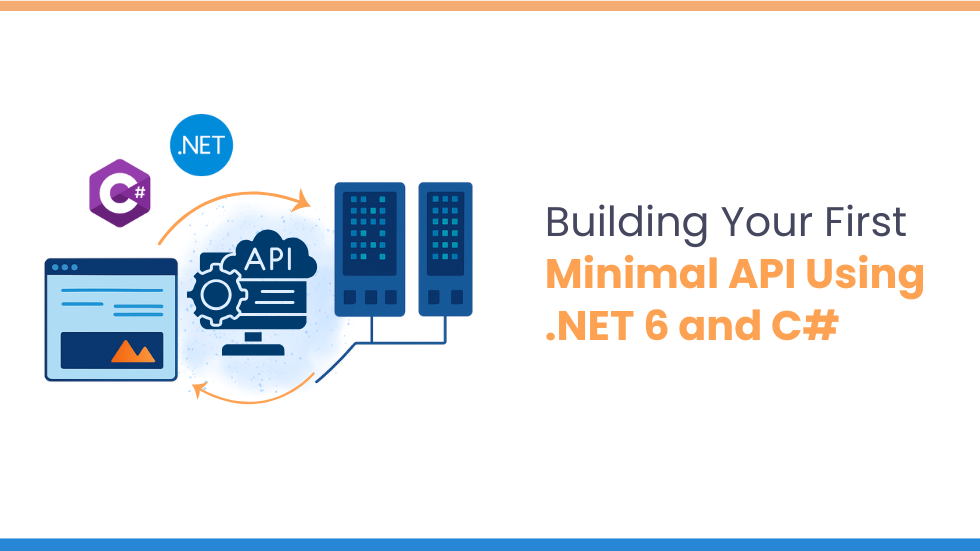
Création de votre première API minimale à l’aide de .NET 6 et C#


Introduction

Utilisation minimale de l’API .NET et C# offrent une approche rapide, légère et moderne pour créer des API HTTP en utilisant une configuration minimale et un code passe-partout. Introduit dans .NET6Les API minimales sont devenues de plus en plus populaires pour microservices, applications cloud nativeset prototypage rapide en raison de leur simplicité et de leurs performances. Dans ce blog, vous apprendrez à créer un API minimale étape par étape utilisant .NET et C#configurez les points de terminaison et exécutez votre premier projet d’API léger.

Conditions préalables à la création d’une API minimale dans .NET 6

Avant de commencer, assurez-vous d’avoir :

  • SDK .NET installé (version 6 ou ultérieure)
  • Un éditeur de code (comme Visual Studio, VS Code ou JetBrains Rider)
  • Connaissance de base de C#, API RESTet Méthodes HTTP

Création d’une API minimale à l’aide de la configuration du projet .NET 6 et C#

Ouvrez votre terminal ou votre invite de commande et créez un nouveau projet API Minimal à l’aide de la commande suivante :

Fondamentalement, cette commande crée un nouveau projet Web nommé MinimalApiDémo.

  • Accédez au répertoire du projet
  • Ouvrez le projet dans votre éditeur

À l’étape suivante, ouvrez le projet dans votre éditeur de code préféré pour explorer et travailler avec les fichiers.

Définir le modèle dans une API minimale

Commençons par créer un modèle simple pour un élément Todo. Dans votre dossier de projet, créez un nouveau fichier appelé TodoItem.cs et ajoutez le code ci-dessous :

Configuration des points de terminaison d’API à l’aide de .NET 6 et C#

Définissons maintenant les points de terminaison de l’API qui géreront diverses requêtes HTTP. Pour ce faire, ouvrez le Programme.cs fichier et remplacez ou mettez à jour le code existant avec l’exemple ci-dessous :

Explication du Code

Injection de dépendance

Nous utilisons une liste singleton pour stocker TodoItem objets, fournissant un mécanisme simple de stockage en mémoire à des fins de démonstration.

Points de terminaison de l’API

  • OBTENIR /tout → Récupérer toutes les tâches
  • OBTENIR /todos/{id} → Obtenir une tâche à faire par ID
  • PUBLIER /tous → Créer une nouvelle tâche
  • METTRE /todos/{id} → Mettre à jour une tâche à effectuer
  • SUPPRIMER /todos/{id} → Supprimer chaque élément

Exécuter l’API

En gros, pour exécuter l’API, exécutez la commande suivante dans votre terminal :

Une fois l’application lancée, votre API sera accessible sur http://localhost:5000. Vous pouvez tester les points de terminaison à l’aide d’outils tels que Facteur ou boucle.

Exécuter et tester l’API minimale

Exemples de demandes

  • Créer un nouvel élément Todo à l’aide d’une requête POST
  • Ensuite, nous récupérerons tous les éléments Todo à l’aide d’une requête GET
  • Modifier un élément de tâche existant


Conclusion

L'API minimale utilisant .NET offre un moyen propre, rapide et efficace de créer des services à petite échelle sans la surcharge des contrôleurs traditionnels. Ils sont parfaits pour microservices, applications cloud natives, prototypageet des scénarios où les performances et la simplicité comptent.
Avec seulement quelques lignes de code C#, vous pouvez créer des points de terminaison entièrement fonctionnels, les tester rapidement et passer de simples démos à des services prêts pour la production.

Que vous soyez débutant ou développeur .NET expérimenté, les API Minimal sont un ajout puissant à votre boîte à outils de développement.


Finance

Agen Togel Terpercaya

Bandar Togel

Sabung Ayam Online

Berita Terkini

Artikel Terbaru

Berita Terbaru

Penerbangan

Berita Politik

Berita Politik

Software

Software Download

Download Aplikasi

Berita Terkini

News

Jasa PBN

Jasa Artikel
AI Agents vs Traditional Development Tools


TL;DR

  • AI agents operate real dev tools to plan, run, verify, and fix tasks, accelerating repetitive work.
  • They excel at scaffolding, CRUD, refactors, and cross-file edits; humans retain architecture and security oversight.
  • Speed gains are real: base apps in minutes/hours versus days/weeks with traditional toolchains.
  • The winning model is hybrid: humans set goals and review; agents execute with tests and guardrails.
  • Choose by goal, control, skill, stack fit, and error handling; tools include AppWizzy, Lovable, Bolt.new, v0.dev, Copilot.

Fact Box

  • Agents compress 50–70% of the development lifecycle; humans focus on architecture and domain-specific logic.
  • Initial development: traditional days/weeks to scaffold; agents produce a functional base app in minutes/hours.
  • An AI dev agent plans, executes, verifies, and iterates using real tools (Git, npm, Docker, tests), not just text.
  • Agents run autonomous loops: run tests, read errors or logs, attempt fixes, and re-run until passing.
  • Best-fit tasks: CRUD apps, internal tools, SaaS scaffolding, refactoring, and repetitive cross-file changes.

If you’ve ever wondered whether AI agents can actually build real web apps, or whether the industry is just showing you polished demo theater, this article cuts through the noise and gives you the most honest answer you’ll read this year.

Before we get into the details, consider the questions that brought you here:

  • Can AI agents truly take over parts of the development workflow, or do they still crumble without human guidance?
  • How do modern agentic platforms differ from the traditional IDEs, frameworks, and toolchains developers already rely on?
  • What’s the safest, smartest, and most profitable way to introduce agents into a real engineering process, without breaking your system or your team?

As Alan Kay said, “The best way to predict the future is to invent it.” And in 2025, that future is being reinvented through agentic development, though not in the way hype videos suggest.

The transition toward AI-driven engineering is no longer theoretical. Leading labs and cloud vendors have published real studies and rolled out early production systems demonstrating both the promise and dangers of agentic coding: significant speed gains on repetitive tasks, paired with non-trivial risks like security oversights, hallucinated commands, and incorrect multi-step changes in critical code paths. Evaluations from OpenAI, Google, Anthropic, AWS, and others show a consistent pattern: agents can dramatically accelerate development, but only when used inside the right workflows, with the right expectations.

By reading this article, you will understand exactly how AI agents work, where they outperform humans, where they fail, how they integrate with traditional tools, and how to use them effectively without compromising quality, safety, or long-term maintainability.

Traditional Dev Tools: The Baseline

Before we talk about AI agents, it’s important to understand the foundation they’re disrupting, not replacing, but accelerating. For the past decade, web app development has relied on a predictable but heavy workflow built around manual coordination of tools, frameworks, and infrastructure. This workflow is powerful, reliable, and well-understood… but also slow, repetitive, and expensive.

What “Traditional Development” Actually Looks Like

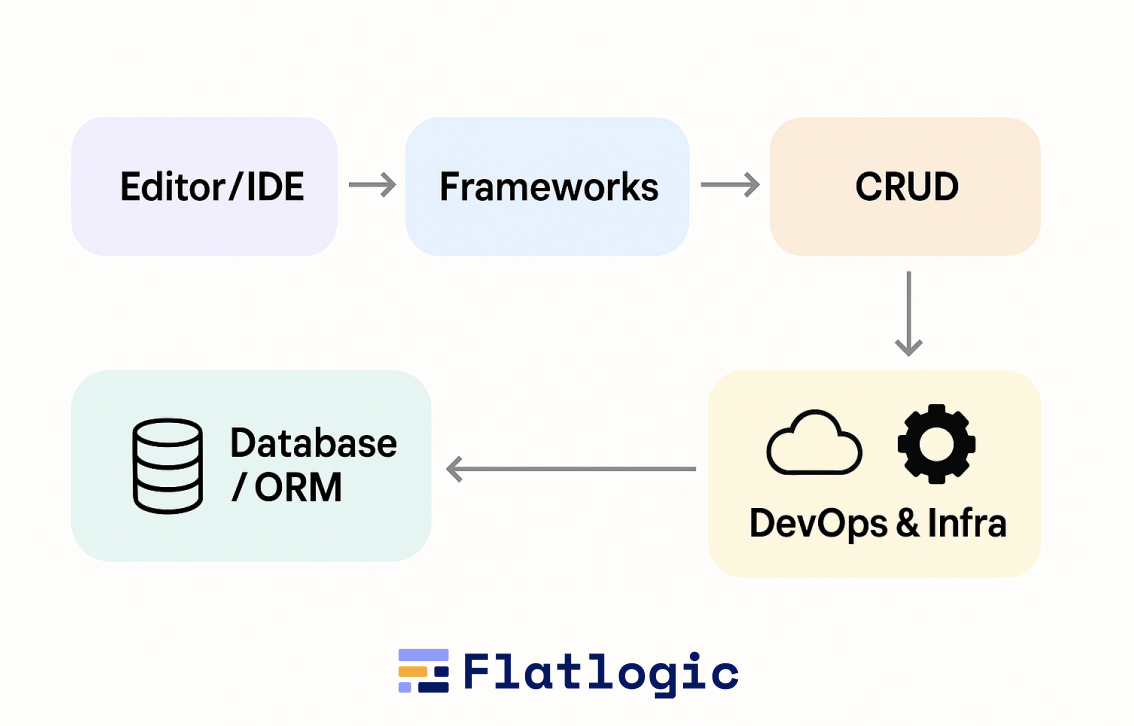
A typical engineering setup, whether a startup or an enterprise, relies on a stack like this:

  • Editor / IDE
  • Frameworks
  • Package & Build Tools
  • Database + ORM
  • DevOps & Infra

These tools are individually powerful, but in combination, they create cognitive load. A senior engineer juggles:

  • architecture decisions
  • schema design
  • CRUD boilerplate
  • data validation
  • routing
  • form wiring
  • API contracts
  • migration scripts
  • component layouts
  • error handling
  • devops configs
  • deployments

Every piece requires manual typing, wiring, and checking.

The Hidden Cost: Everything Starts From Zero

Even for the simplest CRUD app, the traditional workflow requires:

  1. Initializing a repo
  2. Scaffolding frontend + backend
  3. Setting up auth and roles
  4. Creating the data model
  5. Writing migrations
  6. Generating API routes
  7. Implementing controllers/services
  8. Building tables, forms, and detail screens
  9. Adding validation, pagination, and sorting
  10. Deploying to staging
  11. Debugging and fixing integration issues

Every new project starts with technically trivial but time-consuming steps.
This is why many developers joke:

“Building an app is 20% building features… and 80% wiring everything so they don’t break.”

Why This Model Worked (for a While)

Traditional development dominated because it offered:

  • Full control over the codebase
  • Predictability, tools behave as expected
  • A huge ecosystem of libraries, frameworks, and best practices
  • Clear separation of responsibilities within teams
  • Strong debugging and testing workflows

These are still valuable today. Agents haven’t replaced this foundation, they stand on top of it.

Where the Model Started to Crack

By 2023-2024, the engineering world hit a wall:

  • Bootstrapping new apps became slower relative to business expectations.
  • Developers spent disproportionate time on boilerplate, not innovation.
  • Frontend/back-end duplication (models, types, validations) felt wasteful.
  • Product teams struggled with iteration speed.
  • Hiring became expensive and was bottlenecked by senior-level expertise.
  • Framework complexity grew faster than developer bandwidth.
  • Even simple features required multiple layers of changes across the stack.

Every CTO knew the truth:

“Our frameworks are powerful, but we’re buried under the glue code.”

The Gap AI Agents Step Into

Agents don’t replace traditional dev tools, they operate them.

But understanding the baseline helps explain the shift:

  • Traditional tools assume a human drives every step.
  • Agents assume the human sets the goal, and the machine performs the steps.

The entire hype around agents exists because the traditional model, although solid, has become too slow and too costly for the pace of modern product development.

What Are AI Agents in 2025? What’s the Hype?

AI “agents” in 2025 sit at the intersection of two trends:

  1. Large language models are becoming far more reliable in reasoning and multi-step tasks, and
  2. development tools exposing structured interfaces (IDEs, CLIs, repos, CI pipelines) that agents can operate directly.

But before we get into the hype, let’s make the definition brutally clear, because today the term is thrown around so loosely it borders on meaningless.

The No-BS Definition: What an AI Agent Actually Is

In 2025, an AI software development agent is:

A system powered by an LLM that can plan, execute, verify, and iterate on actions across your codebase or development environment using real tools, not just generate text.

That means an AI agent must have four capabilities:

  1. Planning – breaking a high-level goal (“add subscription billing”) into a graph of actionable tasks.
  2. Tool Use – running commands (Git, npm, Docker), interacting with IDEs or repos, querying APIs, reading logs, executing tests.
  3. Long-Term State – remembering prior steps, interpreting results, and keeping context about the project as it evolves.
  4. Feedback Loops – fixing its own errors by rereading test results, compiler errors, or runtime logs.

This is what distinguishes an agent from a chat model that simply spits out a code snippet. If something cannot run tools, check results, and adjust its own plan, it’s not an agent. It’s autocomplete with better PR.

So, Why the Hype?

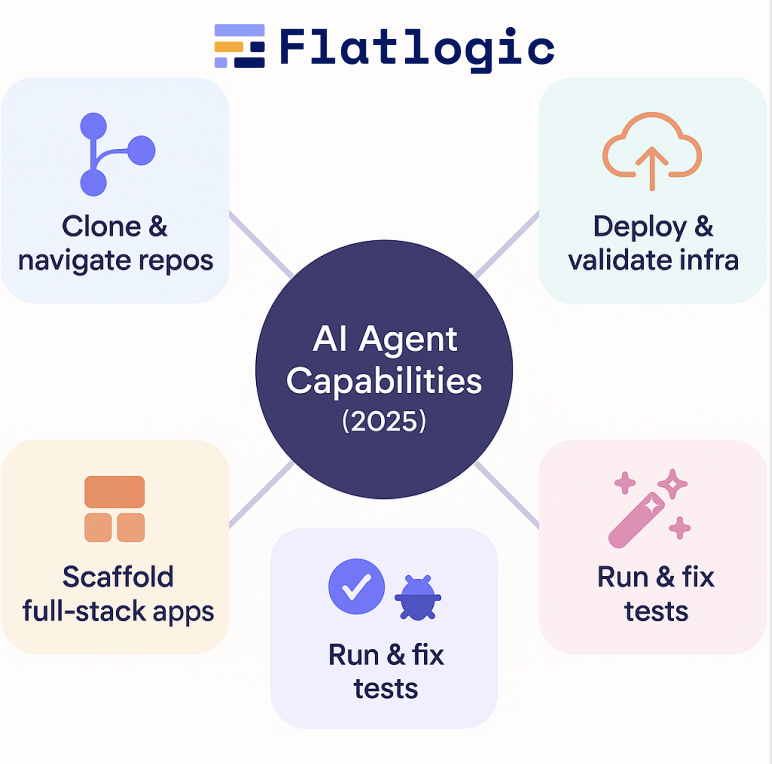
Because for the first time, these systems can do work that looks like real software engineering:

  • They can clone repos and navigate file structures like a junior dev.
  • They can scaffold entire full-stack apps from text descriptions.
  • They can run test suites and fix failures without human intervention.
  • They can search through thousands of lines of code and apply systematic changes.
  • They can deploy to cloud environments, generate containers, and validate deployments.

And unlike the ChatGPT era (2023-2024), where developers had to babysit the model line-by-line, 2025 agents can operate in autonomous loops inside controlled sandboxes.

AI Agents vs Traditional Dev Tools Comparison Table

Dimension Traditional Dev Tools AI Agents (2025)
Who drives the workflow? Human developers manually orchestrate every step. Consistent, deterministic patterns, when paired with generators, enable agents to refactor across repositories.
Speed of initial development Slow: days/weeks to scaffold full-stack apps. Fast: minutes/hours to generate a functional base app.
Handling of boilerplate (CRUD, forms, migrations) Manual, repetitive, error-prone. Automated: generated from schema + intent extraction.
Code quality consistency Depends on developer’s skill; style drift happens over time. Consistent, deterministic patterns when paired with generators; agents refactor across repos.
Cross-file reasoning Developer must mentally track everything; easy to miss details. Agents read the entire repo, search relationships, and apply systematic changes.
Refactoring Tedious, risky on large codebases. Agents excel at mechanical, wide-scope refactors using type systems & tests.
Debugging Manual log reading, trial/error, stepping through code. Autonomous loops: run tests → read errors → attempt fixes.
Integration with tools (Git, Docker, CI/CD) Developer executes commands, configures pipelines manually. Agents call tools directly, edit configs, and re-run pipelines.
Creating new features Requires the developer to update models, controllers, UI, tests, and infra. Agent generates changes across layers from a single instruction.
Architecture decisions Strong, human-led; requires deep context and domain understanding. Weak: agents follow patterns but still rely on humans for architectural choices.
Understanding business logic Strong: humans interpret domain needs, edge cases, and constraints. Limited: agents need explicit instructions; prone to semantic gaps.
Error handling & edge cases Developer responsibility; often added late. Agents handle common cases; domain-specific cases still require humans.
Security & compliance Humans ensure secure patterns; audits are needed. Agents can implement known patterns but require strict guardrails & review.
Learning curve/onboarding New devs need time to understand the codebase. Agents instantly search, summarize, and navigate entire repos.
Scalability of team output Linear: add more engineers → more output (until coordination slows). Leverages compounding: agents + humans scale output disproportionately.
Predictability of output High-code is deterministic but slow to produce. Medium-fast but requires verification, tests, and human review.
Best use cases Complex architectures, critical logic, performance-sensitive systems. CRUD-heavy apps, internal tools, SaaS scaffolding, refactoring, repetitive tasks.
Overall value proposition Maximum control, slower speed. Maximum velocity requires guardrails.

Traditional development tools give teams full control and predictable, deterministic output, but at the cost of speed, repetitive effort, and high cognitive overhead. AI agents flip this model: they dramatically accelerate scaffolding, CRUD, refactoring, and cross-file changes by orchestrating the same tools that humans traditionally drive. They are not replacements for architecture, domain expertise, or product thinking, but they are powerful accelerators for everything that is structured, mechanical, or repeated. The winning strategy in 2025 isn’t choosing between agents and traditional tools. It’s combining them: humans own the why and what, agents handle the how, and together they deliver software at a velocity that neither could achieve alone.

Best 5+ AI Agents: Where AI Agents and Traditional Dev Actually Work Together

The market is full of “AI app builders” that promise magic and deliver prototypes held together with duct tape. But a small subset of tools actually blend agentic automation with real, maintainable engineering practices, repos, frameworks, CI/CD, databases, Docker, and cloud environments that developers already trust. 

This is the category worth paying attention to: tools that don’t try to replace software engineering, but compress the first 50-70% of the development lifecycle, letting developers take over when the work becomes architectural, strategic, or domain-specific. Below is a curated list of platforms that genuinely embody this hybrid model.

A professional AI-driven development platform that gives every user a dedicated real VM with Node/LAMP/Python stacks, Git, Docker, and full Linux environments. Agents operate inside your VM like a junior developer-running commands, editing code, installing packages, generating migrations, debugging, and deploying.

Why it’s unique:

  • Not a sandbox-real infrastructure with full root-level control
  • AI agents run actual commands (npm, composer, git, docker, tests, etc.)
  • Apps run as exportable Git repos using standard frameworks (Next.js, Laravel, Python Flask/FastAPI, etc.)
  • Built-in deployments, logs, terminals, SSH, and databases
  • Perfect mix of classical dev workflow + agent automation

Best for:
Founders, software teams, and engineers who want production-ready bases + real engineering control, not prototypes.

Lovable

A popular prompt-to-app builder that turns natural language descriptions into full-stack applications. It uses LLM reasoning to infer schema, data models, routes, and UI structure.

Key qualities:

  • Fastest “idea → working MVP” flow on the market
  • Intuitive conversational agent for app edits
  • GitHub export with readable, human-oriented code
  • Strong focus on frontend polish and usability

Where it excels:
Building SaaS prototypes, dashboards, CRUD apps, and web tools in hours-not weeks.

Bolt.new

A high-speed builder for React/Next.js projects with a strong editing agent built into the UI. Bolt is excellent at generating modern, clean component structures.

Key qualities:

  • Agent rewrites your code incrementally and consistently
  • Clean React code output using idiomatic patterns
  • Great for UI-heavy projects, design systems, and landing pages
  • Fast iteration loops; minimal cognitive load

Best for:
Teams building front-end heavy apps, dashboards, or marketing tools.

v0.dev (by Vercel)

An AI-powered UI generator that outputs high-quality React components built on Vercel + shadcn/ui + Tailwind.

Key qualities:

  • Extremely consistent UI generation
  • Perfect alignment with modern frontend best practices
  • Easy export into real Next.js projects
  • Works well with human-led backend development

Best for:
Teams that want AI-generated UI, but manual control over logic, APIs, and architecture.

GitHub Copilot Workspace

A task-planning agent integrated into GitHub: You describe an issue → the agent creates a plan → implements changes → verifies via tests → opens a PR.

Why it matters:

  • Reads the entire repo
  • Proposes multi-step plans
  • Executes changes across modules and folders
  • Very strong with refactors, bug fixes, and incremental features

Best for:
Established teams with mature codebases that want agents to take issues off the backlog.

Replit Agents

Replit’s agent can read your files, make multi-step changes, run the code, and fix errors until the result works.

Key qualities:

  • Great for small full-stack apps
  • Super fast iteration
  • Beginner-friendly but still powerful
  • Works well for prototypes, internal tools, and solo developers

Best for:
Lightweight projects where speed > architecture.

Google Antigravity – Agentic Dev for Cloud Workflows

Google’s agent environment for Workspace and Cloud. Designed for real-world cloud workflows rather than demo theatrics.

Key qualities:

  • Strong at multi-step planning
  • Understands cloud resources, configs, and CI/CD pipelines
  • Good at debugging backend logic and deployments
  • Designed for large-scale development teams

Best for:
Developers working inside the Google ecosystem or teams who need agent-driven cloud automation.

AWS Kiro – Enterprise-Grade Agent Inside the IDE

Amazon’s agentic IDE assistant that executes commands, inspects logs, edits code, and navigates your AWS environment.

Key qualities:

  • Production-grade safety constraints
  • Multi-step autonomous debugging
  • Deep integration with AWS services
  • Strong for operational and backend-heavy projects

Best for:
Enterprise teams that want AI automation without abandoning AWS best practices.

Tool Type Agent Capabilities Code Ownership Tech Stack Best For Key Strength Main Limitation
AppWizzy Full agentic builder + real VM dev environment Runs commands on real VM, edits repos, installs packages, generates migrations, deploys, refactors Full Git repo ownership Next.js, Node, Python, LAMP Production-ready apps, SaaS MVPs, internal tools Full-stack generation + real infra + developer control Requires basic engineering literacy (not for total beginners)
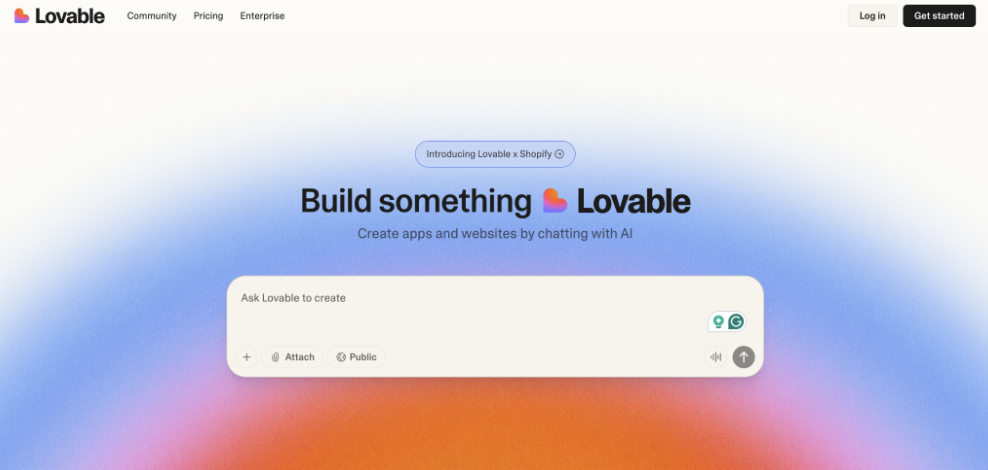
Lovable Prompt-to-app builder Schema inference, full-stack generation, conversational editing GitHub export React/Next.js + lightweight backends Fast MVPs and CRUD apps Very fast and intuitive idea → app flow Weaker long-term maintainability & backend depth
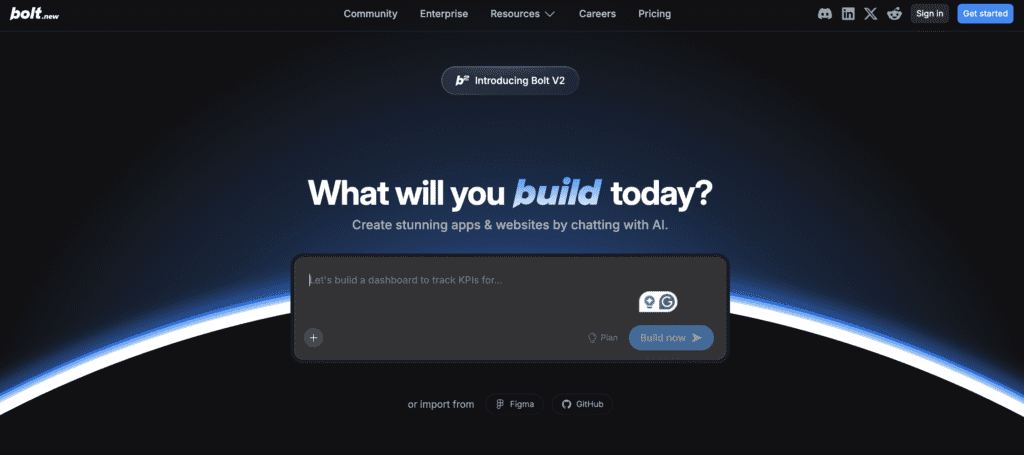
Bolt.new Frontend-heavy agent builder Component generation, UI refactoring, code edits Exportable React / Next.js UI-heavy dashboards & web apps Clean UI generation with tight iteration loops Limited backend automation
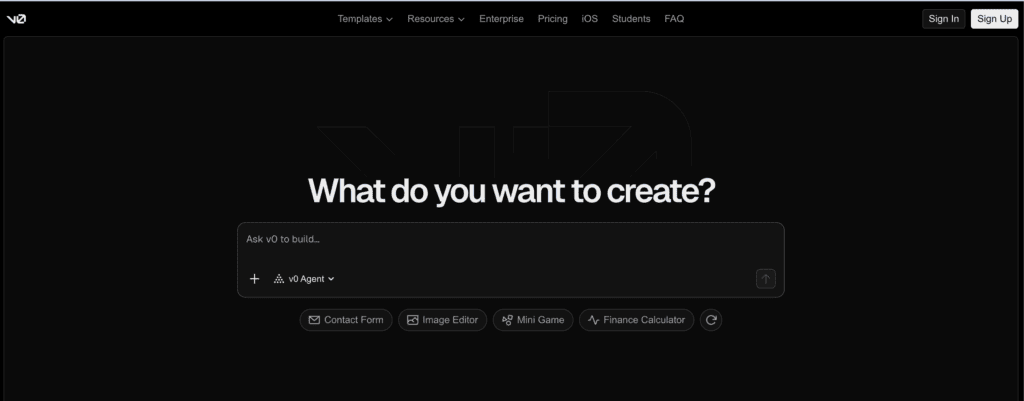
v0.dev (Vercel) AI UI generator Generates components, sections, and forms from prompts Exportable React (shadcn/ui + Tailwind + Next.js) Modern UIs, landing pages, and dashboards Highest-quality AI-generated UI Not a full app builder; backend still manual
GitHub Copilot Workspace Repo-based agent environment Task planning, multi-step coding, test-running, PR creation Full repo (your GitHub) Any Teams with existing codebases Strongest for incremental changes & refactors Not for scaffolding new apps
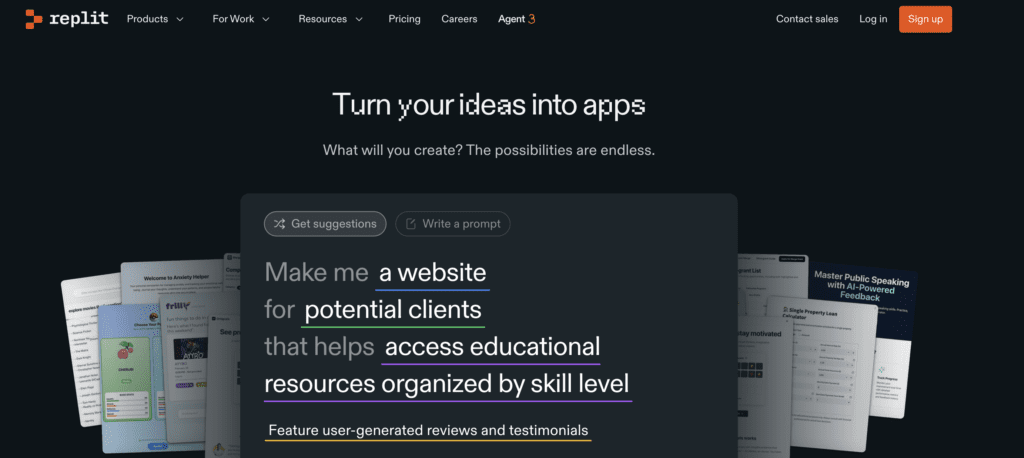
Replit Agents Lightweight agentic runtime Runs code, fixes errors, modifies files Exportable JS, Python, small stacks Quick prototypes, solo developers Fastest iteration for small apps Not ideal for complex architectures
Google Antigravity Cloud/IDE agent environment Multi-step planning, cloud debugging, CI/CD edits Full infra + code Any (GCP ecosystem) Cloud-native teams Strong for infra + backend reasoning Early-stage workflows are still evolving
AWS Kiro Enterprise-grade IDE agent Executes commands, inspects logs, handles deployments Full repo & AWS resources Any (AWS ecosystem) Enterprise teams on AWS Strong safety, reliability, and deep AWS integration Less beginner-friendly; tied to AWS

How to Choose the Best AI Agent for You

Picking the right AI agent isn’t about hype-it’s about finding the tool that matches your workflow, skill level, and long-term needs. Use these five quick filters:

1. Define Your Goal

  • Build a full app fast? → Choose a builder (AppWizzy, Lovable).
  • Modify an existing repo? → Choose a repo-based agent (Copilot Workspace).
  • Generate UI? → Choose a UI agent (v0.dev, Bolt.new).

2. Decide How Much Control You Need

If you want full Git repo ownership, real frameworks, Docker, and manual editing later, avoid tools that hide code or force proprietary runtimes.

3. Match the Tool to Your Skill Level

  • Beginner-friendly: Lovable, Replit Agents
  • Mid-level: Bolt.new, v0.dev
  • Professional-grade: AppWizzy, AWS Kiro, Google Antigravity

4. Check Stack Compatibility

Choose agents that generate code in stacks you already use (Next.js, Node, LAMP, Python, Laravel, etc.). AI won’t save you from a stack mismatch.

5. Validate Error Handling

Good agents can run commands, tests, logs, and fix their own mistakes. If an agent only generates code once and stops on errors, skip it.

Conclusion

AI agents aren’t replacing developers, they’re reshaping where developers spend their time. Traditional tools still provide the stability, control, and predictability modern engineering relies on, but agents finally remove the repetitive glue work that has slowed teams for decades. The real breakthrough isn’t “AI writes your entire app.” It’s that AI now handles the boring 50-70%, while humans focus on product logic, architecture, and innovation.

If you want to experience the hybrid model in its strongest form, AI agents operating real infrastructure, real repos, real commands, and real stacks, you can try AppWizzy, which combines agentic automation with full developer control and production-ready output.

As we’ve seen throughout this article, the winning strategy in 2025 is not choosing between AI agents and traditional tools, it’s blending them. Teams that adopt this hybrid workflow ship faster, make fewer mistakes, and scale engineering effort far beyond headcount. Agents amplify human capability; they don’t replace it.

The future of software development belongs to teams that know how to use both: developers who understand the “why,” and agents that execute the “how.”


Finance

Agen Togel Terpercaya

Bandar Togel

Sabung Ayam Online

Berita Terkini

Artikel Terbaru

Berita Terbaru

Penerbangan

Berita Politik

Berita Politik

Software

Software Download

Download Aplikasi

Berita Terkini

News

Jasa PBN

Jasa Artikel
EOV présente l’innovation au WTM Londres 2025


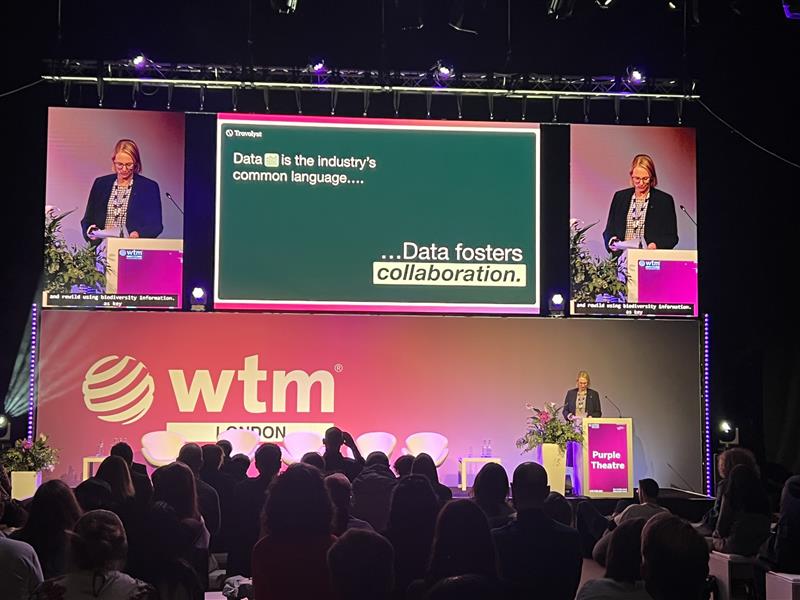
Pune, Inde | [06.11.2025] — EOV (EmbarkingOnVoyage), une société mondiale d’ingénierie de produits et de transformation numérique, a participé à Marché mondial du voyage (WTM) Londres 2025l’un des événements de voyage et de technologie les plus importants et les plus influents au monde.

L’événement a servi de plateforme dynamique pour EOV s’engage avec les leaders mondiaux du voyage, du tourisme et de la technologieéchangez des informations sur l’innovation numérique et explorez de nouvelles opportunités de partenariat dans l’écosystème des technologies du voyage.

Stimuler l’innovation dans la technologie du voyage

La participation d’EOV au WTM Londres renforce son engagement à progresser solutions numériques pour l’industrie mondiale du voyage et de l’hôtellerie. L’entreprise a démontré son expertise dans plates-formes basées sur les données, personnalisation basée sur l’IA, automatisation intelligente et ingénierie de produits moderne— conçu pour aider les entreprises de voyages à réinventer l’expérience client et l’efficacité opérationnelle.

S’exprimant à cette occasion, Abondamment Nag, PDG d’EOVdit:
“Le WTM London n’est pas seulement un événement : c’est une plaque tournante de l’innovation mondiale. Être ici nous permet de comprendre l’évolution des attentes des voyageurs et de collaborer avec des entreprises visionnaires qui façonnent l’avenir de la technologie du voyage. Notre objectif est de concevoir des solutions qui rendent les voyages mondiaux plus intelligents, fluides et plus durables. “

Renforcer la présence mondiale

Avec une clientèle croissante à travers le États-Unis, Europe et APACEOV continue d’étendre sa présence dans le domaine des technologies du voyage. La participation de WTM reflète la stratégie d’EOV visant à s’aligner avec des partenaires mondiaux, à co-créer des solutions et à conduire la transformation numérique tout au long de la chaîne de valeur de l’industrie du voyage.

Cette étape ajoute un autre chapitre au parcours d’EOV visant à responsabiliser les entreprises dans divers secteurs, notamment TravelTech, FinTech, HealthTech et cybersécurité-avec sa forte mentalité produit et son excellence en ingénierie.


À propos d’EOV (EmbarkingOnVoyage)

EOV est une société d’ingénierie de produits moderne qui aide les startups, les scale-ups et les entreprises à accélérer l’innovation grâce à une expertise technologique approfondie, une exécution agile et une forte concentration sur l’écosystème Microsoft. Reconnu mondialement, EOV s’associe à des organisations de premier plan pour créer des produits numériques qui créent de l’impact, de l’efficacité et de la croissance.

Contact presse :

EOV numérique

[email protected]

Maruti Millennium Tower, bureaux n° 712 et 713, niveau 7, Mumbai Pune Expressway, Baner, Pune

Téléphone : +91 – 20 – 6723 5802


Finance

Agen Togel Terpercaya

Bandar Togel

Sabung Ayam Online

Berita Terkini

Artikel Terbaru

Berita Terbaru

Penerbangan

Berita Politik

Berita Politik

Software

Software Download

Download Aplikasi

Berita Terkini

News

Jasa PBN

Jasa Artikel
Meilleures offres IA Black Friday 2025


TL;DR

  • AppWizzy : 30 % de réduction sur tous les forfaits et crédits IA (20-28 novembre) ; le constructeur agentique full-stack le plus puissant de ce BF.
  • Lovable et v0 excellent dans l’interface utilisateur/CRUD rapide ; Plasmic exporte du vrai React, mais les backends complexes nécessitent encore du travail.
  • Bolt.new, Cursor, Replit, Anysphere dirigent les IDE IA ; choisissez les modifications multi-fichiers, les refactorisations et le déploiement/exécution.
  • Meilleur rapport qualité-prix : remises couvrant les machines virtuelles de calcul, de crédits et de développement, et pas seulement des abonnements moins chers.
  • Adaptez l’outil aux objectifs : rapidité pour les prototypes ; contrôle full-stack, base de données et agents pour la production.

Boîte d’information

  • AppWizzy : 30 % de réduction sur tous les abonnements et packs de crédits IA ; codeNOIRFRIDAY30 ; valable du 20 au 28 novembre (23h59 CET).
  • Lovable : 40 % de réduction annuelle en solo (États-Unis et UE), 25 % de réduction en équipe ; pas de réductions mensuelles.
  • Bolt.new : 20 % de réduction annuelle sur Bolt Pro ; accès anticipé aux mises à niveau agents : refactors IA, modifications multi-fichiers, mémoire de l’espace de travail.
  • Replit : 30 % de réduction annuelle sur Hacker, 20 % de réduction sur Teams Pro, plus des crédits de calcul bonus sur les forfaits annuels.
  • v0 par Vercel : 100 $ de crédit d’utilisation et 15 % de réduction sur Pro ; concentré sur Figma → Génération de code et d’interface utilisateur.

“Si vous souhaitez profiter des meilleures offres du Black Friday sur de véritables outils de création d’applications d’IA et éviter de gaspiller de l’argent pour les mauvais, lisez ceci jusqu’au bout.”

Avant de commencer, vous vous demandez probablement :

  • Quels créateurs d’applications d’IA sont réellement bons en 2025 ?
  • Les remises du Black Friday sont-elles vraiment importantes ou s’agit-il simplement d’astuces marketing ?
  • Quel outil dois-je choisir si je souhaite que mon application fonctionne réellement après la démo ?

Comme l’a dit Steve Jobs, “Les outils ne sont que des outils. C’est ce que vous en faites qui compte.” Et en 2025, les outils d’IA peuvent soit vous aider à construire quelque chose de réel, soit vous faire perdre complètement votre temps.

Le vrai problème est que la plupart des offres en ligne du Black Friday sont destinées aux simples créateurs de sites Web, et non à des outils sérieux capables de créer des applications Web complètes. La recherche montre que la plupart des prototypes générés par l’IA n’avancent jamais parce que les outils qui les sous-tendent ne peuvent pas gérer la logique réelle, les bases de données ou la mise à l’échelle.

En lisant cet article, vous saurez quels créateurs d’applications d’IA sont les meilleurs en ce moment, quelles offres du Black Friday valent réellement la peine d’être achetées, en quoi chaque outil est bon ou mauvais et comment choisir celui qui convient à votre projet. Allons-y.

🔥 L’offre la plus complète parmi les créateurs d’applications « agent ».

Offre du Black Friday 2025 :

  • 30% de réduction tous les abonnements + tous les packs de crédits AI.
  • Code: VENDREDI NOIR30
  • Dates : 20 novembre → 28 novembre (23h59 CET)

AppWizzy est le premier outil à promouvoir le modèle de « codage d’ambiance professionnel » : pas seulement des invites brutes, mais des machines virtuelles de développement dédiées, des agents propulsés par Gemini, un accès au terminal, une édition d’arborescence de fichiers, une capture d’écran pour discuter et une conversation vocale. Cette remise s’applique à l’ensemble de la pile, pas seulement aux forfaits les moins chers.

Idéal pour : les fondateurs, les étudiants, les hackathons et les équipes qui souhaitent que « ChatGPT + VSCode + Linux » soient fusionnés en un seul endroit.

Quelle offre est réellement la meilleure ?

La vérité est que la « meilleure » offre du Black Friday dans ce domaine ne concerne pas l’ampleur de la remise. Il s’agit de ce que vous obtenez réellement pour votre argent. Certaines plateformes vous offrent un pourcentage de réduction important, mais uniquement sur le forfait le moins cher. D’autres vous offrent une petite réduction, mais sur des fonctionnalités qui comptent réellement lorsque vous créez de vraies applications.

Si votre objectif est démos rapides ou outils CRUD simplesla meilleure offre est celle qui vous offre la configuration la plus rapide au prix le plus bas, même si la remise elle-même est faible. Ces plateformes sont parfaites pour les prototypes, les projets de classe ou l’apprentissage.

Si tu veux un environnement de développement sérieuxrecherchez des offres qui proposent non seulement des réductions sur les abonnements, mais également calculer, créditer et créer des minutes. Celles-ci sont plus utiles à long terme car elles réduisent directement le coût de création et d’exécution des applications, et pas seulement l’ouverture du tableau de bord.

Si tu tiens à flexibilité et profondeur d’ingénieriela bonne affaire est celle qui débloque un accès complet à l’éditeur, au système de fichiers et aux agents IA capables de fonctionner sur plusieurs fichiers. Même avec une remise moindre, cela vaut bien plus que d’économiser quelques dollars sur un forfait léger.

Et si vous visez travail de productionla meilleure offre est celle qui prend en charge les déploiements réels, les bases de données, le contrôle de version et les modifications complètes. Les capacités approfondies battent toujours les promotions flashy.

Donc en bref :

  • Pour la vitesse : choisissez l’outil le plus rapide, quel que soit le montant de la remise.
  • Pour les applications sérieuses : choisissez l’offre qui comprend des crédits de calcul et de construction.
  • Pour les ingénieurs : choisissez l’environnement qui vous donne le plus de contrôle.
  • Pour les projets à long terme : choisissez la plate-forme qui évolue avec vous, pas celle avec le pourcentage de réduction le plus élevé.

La meilleure offre est celle qui vous aide à construire, pas seulement celle qui semble la moins chère aujourd’hui.

👉 Vous voulez le deal qui coche toutes ces cases ?

Si vous souhaitez un environnement qui vous offre des crédits de calcul, de véritables machines virtuelles de développement, un contrôle complet et des flux de travail agents, l’offre Black Friday d’AppWizzy est celle qu’il vous faut. 30 % de réduction sur tous les forfaits + tous les crédits, uniquement jusqu’au 28 novembre (23h59 CET).


Finance

Agen Togel Terpercaya

Bandar Togel

Sabung Ayam Online

Berita Terkini

Artikel Terbaru

Berita Terbaru

Penerbangan

Berita Politik

Berita Politik

Software

Software Download

Download Aplikasi

Berita Terkini

News

Jasa PBN

Jasa Artikel
Slot Deposit Pulsa Indosat Langsung Bermain

1. Bagaimana “Langsung Bermain” Bekerja

a. Deposit Resmi vs Tidak Resmi

  • Indosat resmi menyediakan pulsa untuk paket data, telepon, dan konten digital legal,
  • Deposit slot online tidak resmi dan memanfaatkan pihak ketiga.

b. Mekanisme Pihak Ketiga

Proses yang biasanya dilakukan:

  1. Pengguna mengirim pulsa ke nomor tertentu milik penyedia jasa.
  2. Pihak ketiga mengonversi pulsa menjadi saldo.
  3. Saldo dikreditkan ke akun permainan.

Dengan demikian, meskipun saldo terlihat langsung masuk, transaksi ini tidak dilindungi oleh Indosat.


2. Mengapa Banyak Orang Tertarik Metode Ini

Beberapa alasan umum:

  • Cepat: Saldo terlihat masuk dan bisa langsung digunakan.
  • Praktis: Tidak memerlukan rekening bank atau e-wallet.
  • Anonim: Hanya menggunakan nomor HP.
  • Modal kecil: Bisa mulai dengan nominal pulsa rendah, seperti 10–20 ribu.

Namun, kemudahan ini datang dengan risiko tinggi, baik finansial maupun keamanan.


3. Risiko Deposit Pulsa Indosat Langsung Bermain

a. Risiko Finansial

  • Potongan konversi pulsa pihak ketiga cukup tinggi (10–30%).
  • Tidak ada jaminan pengembalian saldo jika terjadi masalah.

b. Risiko Keamanan

  • Akun bisa diretas karena tidak ada proteksi resmi.
  • Nomor HP dan kode OTP bisa disalahgunakan.

c. Risiko Legal

  • Perjudian online tidak legal di Indonesia.
  • Deposit pulsa untuk slot online berada di wilayah abu-abu hukum.

d. Risiko Klaim “Langsung Bermain”

  • Istilah ini bersifat marketing.
  • Kecepatan saldo masuk bergantung pada stabilitas pihak ketiga dan koneksi internet.

4. Faktor yang Membuat Deposit Terlihat “Langsung Bermain”

  1. Konversi pulsa instan oleh pihak ketiga.
  2. Antarmuka situs responsif, saldo langsung muncul di layar.
  3. Promosi marketing, istilah “langsung bermain” digunakan untuk menarik pemain.

Meski terlihat cepat, deposit tidak selalu instan, dan saldo bisa tertunda jika ada kendala sistem atau verifikasi manual.


5. Alternatif Aman & Legal

Jika tujuan adalah hiburan digital cepat dan mudah, beberapa opsi legal lebih aman:

  • Game mobile resmi → top-up pakai pulsa untuk pembelian item legal (diamond, gems, skin).
  • E-wallet resmi → GoPay, OVO, Dana, ShopeePay.
  • Aplikasi hiburan digital → voucher streaming, konten edukasi, musik dan film legal.

Keuntungan alternatif:

  • Transaksi aman dan terlacak
  • Proteksi saldo
  • Pemulihan akun mudah
  • Kepatuhan hukum

6. Kesimpulan

Istilah “Slot Deposit Pulsa Indosat Langsung Bermain” merujuk pada deposit pulsa melalui pihak ketiga untuk slot online. Namun:

  • Indosat tidak menyediakan layanan resmi untuk deposit slot online,
  • Deposit cepat tidak menjamin keamanan atau kemenangan,
  • Risiko kehilangan pulsa, akun, dan data sangat tinggi,
  • Perjudian online tidak legal di Indonesia.

Untuk hiburan digital yang cepat dan aman, lebih baik menggunakan transaksi resmi, legal, dan terlindungi. slot deposit pulsa indosat

Récapitulatif du webinaire AppWizzy Professional Vibe-coding


TL;DR

  • Le premier webinaire d’AppWizzy a montré la création rapide d’applications via le vibe-coding
  • 400+ inscrits ; ~85 participants réels ont créé une session de type atelier
  • Chaque application s’exécute sur sa propre VM ; le code est téléchargeable et portable
  • Construit en direct : tableau Kanban, chat d’enquête sur l’épuisement professionnel et analyses CSV IA
  • Des applications simples peuvent être expédiées en quelques jours ; les systèmes complexes prennent encore des mois, voire des années

Boîte d’information

  • Plus de 400 inscriptions ; ~ 85 participants réels après filtrage des robots.
  • Chaque projet AppWizzy s’exécute sur sa propre VM cloud dédiée.
  • Modèles disponibles : PHP, Python et Node.js ; plus de piles prévues.
  • Lors du webinaire, les modèles d’IA pris en charge incluaient Gemini.
  • Des tableaux de bord simples peuvent être créés en quelques jours ; les systèmes complexes prennent des mois, voire des années.

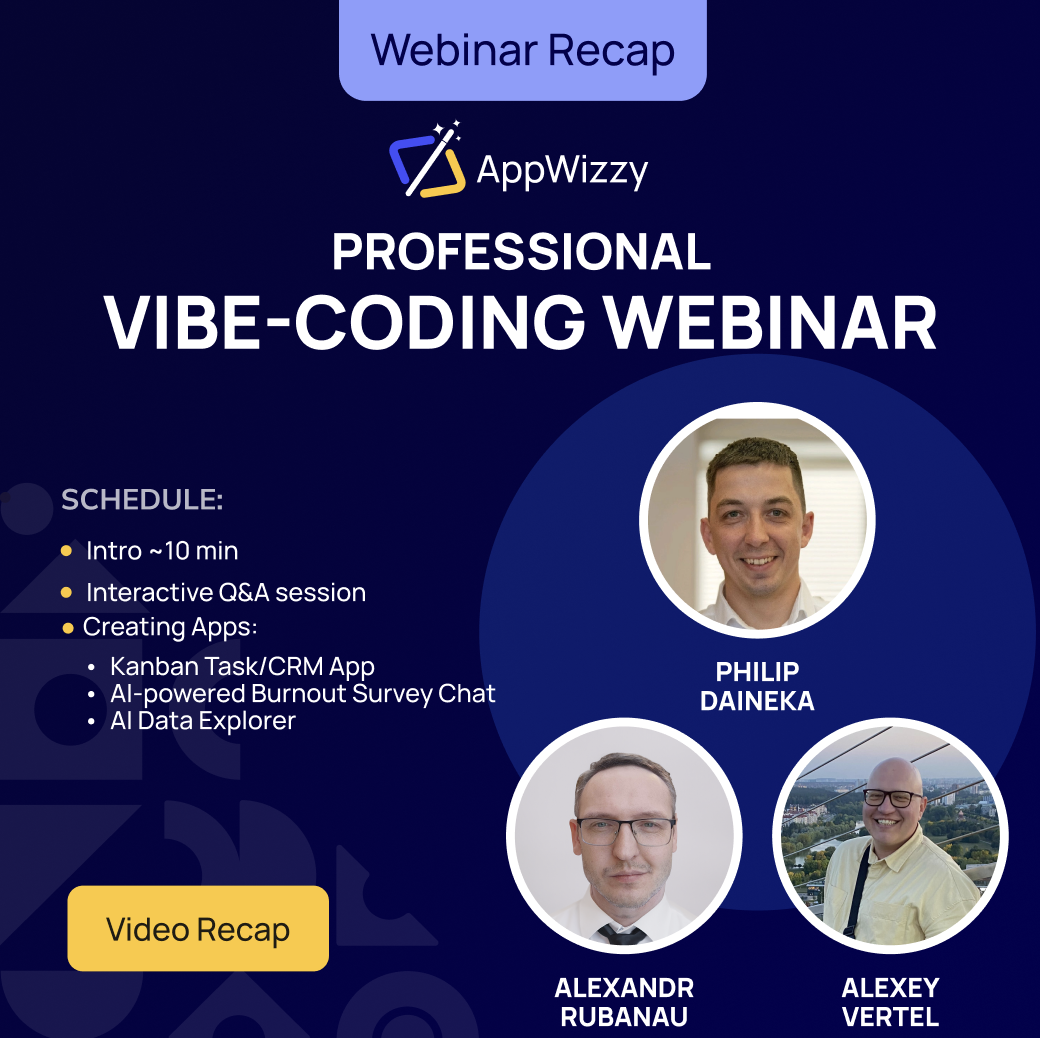
Nous avons récemment organisé notre premier webinaire AppWizzy, au cours duquel nous avons démontré comment notre plateforme innovante de codage d’ambiance simplifie le développement rapide de logiciels. Cette session intéressante a présenté les fonctionnalités clés d’AppWizzy, offrant un aperçu pratique de la transformation rapide d’idées en applications fonctionnelles. Nous souhaitons remercier chaleureusement tous ceux qui ont participé et vous encourageons à rester à l’écoute des prochains webinaires et des sessions de création d’applications en temps réel plus passionnantes.

Plus de quatre cents inscriptions ont été enregistrées pour l’événement. Après avoir filtré les robots, il restait environ quatre-vingt-cinq participants réels. Beaucoup faisaient déjà partie de notre communauté et apparaissaient régulièrement dans notre Slack, ce qui donnait à la session un sentiment d’atelier plutôt qu’une présentation à sens unique.

Du générateur Flatlogic à AppWizzy

Pendant plusieurs années, le produit principal dans ce domaine était Flatlogic Generator. Au fur et à mesure de l’évolution de la plateforme, elle s’est naturellement divisée en deux directions. Flatlogic s’est concentré sur les services et la fourniture de logiciels personnalisés, tandis qu’AppWizzy est devenu une marque et un produit distincts : un plateforme professionnelle de vibe‑coding.

La philosophie derrière AppWizzy est de conserver la vitesse et l’expérience conversationnelle des outils low‑code tout en évitant leurs limites strictes habituelles. Au lieu de tout placer dans un environnement partagé et opaque, chaque projet d’AppWizzy s’exécute sur son propre environnement. propre machine virtuelle.

Lorsqu’une nouvelle application est créée, une nouvelle VM est provisionnée dans le cloud. Cette VM exécute une véritable pile et peut être traitée comme n’importe quel autre serveur. Pour le moment, la plate-forme est livrée avec des modèles pour PHP, Python et Node.js, et d’autres piles sont prévues. Vous pouvez enregistrer, déboguer, télécharger le code, le déplacer ailleurs et le mettre à l’échelle selon vos besoins. C’est plus proche du « développement logiciel classique » que d’un jouet glisser-déposer, avec simplement un ingénieur en IA assis à côté de vous.

Cet ingénieur IA est alimenté par agents de codage open source et de grands modèles de langage. Nous avions l’habitude d’expérimenter avec notre propre agent interne, mais avons décidé qu’il était beaucoup plus judicieux d’orchestrer les technologies d’IA existantes et éprouvées. Au moment du webinaire, la plate-forme prenait en charge des modèles tels que Gemini et prévoyait également d’ajouter des moteurs de type Code.

Avec ce contexte défini, nous sommes passés à ce que la plupart des gens recherchaient réellement : voir trois applications très différentes prendre vie :

  • Tâche Kanban/Application CRM : Complet avec authentification et glisser-déposer intuitif.
  • Chat d’enquête sur l’épuisement professionnel alimenté par l’IA : Doté d’une notation automatique et d’analyses visuelles.
  • Explorateur de données IA : Téléchargez des fichiers CSV, posez des questions dans un anglais simple et recevez des informations visuelles instantanées.

Ce que ressent réellement la construction avec AppWizzy

Les trois applications ont été créées de la même manière simple. Nous avons choisi un modèle et une pile technologique (dans ce cas, PHP pour les trois), avons donné un nom au projet et décrit ce que nous voulions qu’il fasse. Vous pouvez saisir cette description ou utiliser la voix, ce qui donne l’impression de simplement parler à un coéquipier. À partir de cette description, l’IA a suggéré des rôles de base (comme administrateur ou membre de l’équipe), a demandé si l’application devait être publique ou derrière une connexion, et a rédigé de courtes histoires « en tant qu’utilisateur, je peux… ». Pour le webinaire, nous avons gardé les choses très simples : un rôle et un choix oui/non sur l’authentification.

Ensuite, AppWizzy a créé une nouvelle machine virtuelle et généré la première version de l’application. Dès que la VM était prête, nous avons reçu un lien en direct et l’application fonctionnait déjà : pages ouvertes, formulaires soumis et données enregistrées. Dans l’éditeur, nous pourrions enregistrer des points de contrôle tels que « Basic Kanban v1 » ou « AI Analysis v1 » et revenir en arrière si une modification de l’IA cassait quelque chose. Nous pourrions également prendre une capture d’écran de l’application en direct et l’envoyer à l’IA afin qu’elle puisse « voir » la véritable interface au lieu de deviner. Une fois ce flux en place, nous sommes passés au premier exemple réel.

Démo 1 : Un gestionnaire de tâches de style Kanban sur PHP et MySQL

La première application que nous avons créée était simple et familière : un tableau de tâches qui se situe quelque part entre une liste de tâches et un CRM léger. Nous lui avons donné un nom de style webinaire et, à l’aide de la saisie vocale, avons demandé à AppWizzy un tableau Kanban classique où vous pouvez créer des tâches, les attribuer et les faire glisser entre les colonnes. Nous avons délibérément choisi le modèle PHP, car une grande partie des applications Web réelles fonctionnent encore sur des piles de style PHP et LAMP.

Après avoir traité la description, l’IA a suggéré plusieurs rôles, mais pour que les choses restent rapides, nous n’en avons laissé qu’un : quelqu’un qui peut se connecter, créer, attribuer et déplacer des tâches. Une fois la VM prête, un lien en direct est apparu avec un tableau Kanban fonctionnel soutenu par MySQL. Nous avons créé une tâche de test, actualisé la page et l’avons vue persister, puis enregistré ce premier état sous le nom « Basic Kanban Board v1 » pour avoir un point de restauration sûr.

À partir de là, le public nous a poussé à ajouter le glisser-déposer. L’IA a d’abord rendu les tâches déplaçables, mais l’état n’a pas survécu à une actualisation de la page. Nous avons décrit le problème et envoyé une capture d’écran ; après une autre série de changements, le tableau a finalement mis à jour correctement le statut de la tâche et les cartes sont restées dans leurs nouvelles colonnes. Nous avons ensuite amélioré l’apparence en donnant à chaque colonne sa propre couleur et, comme étape finale, avons ajouté l’enregistrement et la connexion afin que les tâches appartiennent à des comptes spécifiques. Pendant que ces changements plus importants étaient en cours, nous avons montré comment les crédits sont dépensés et remboursés, comment une VM peut être mise en veille pour économiser les coûts d’hébergement et comment le code source PHP complet peut être téléchargé au format ZIP et exécuté n’importe où. À ce stade, la première application était effectivement terminée : un tableau Kanban avec glisser-déposer, couleurs, authentification, tâches par compte et code portable.

Démo 2 : Analyse du burn-out avec chat, enquête et IA

La deuxième application s’est concentrée sur un domaine très différent : le burn-out et l’état émotionnel. Nous avons réutilisé le modèle PHP et n’avons conservé qu’un seul rôle public. L’idée était simple : un assistant de type chat pose une dizaine de questions sur l’énergie, l’humeur et l’attitude au travail ou aux études, puis envoie les réponses à l’IA et renvoie un résumé d’épuisement professionnel avec des graphiques. La première version ne gérait que la conversation ; il vous a remercié et a prétendu « analyser », mais rien n’a été réellement enregistré ou traité.

Ensuite, nous avons demandé à AppWizzy de connecter les réponses à la couche IA intégrée. Chaque modèle possède un dossier AI avec un fichier API local qui appelle des modèles externes (comme OpenAI) à l’aide d’un secret de projet, aucune configuration manuelle n’est donc nécessaire. Après cette étape, un nouveau bouton « Analyser mes résultats » est apparu. En réexécutant l’enquête et en cliquant dessus, vous avez généré une section appropriée « Mon analyse d’épuisement professionnel » avec des scores numériques (par exemple, épuisement et cynisme), un texte expliquant ce qu’ils signifient et des graphiques simples. Sur la base des commentaires, nous avons également déplacé les résultats du chat vers un panneau plus calme, guidé l’IA avec une capture d’écran et ajouté même une option permettant de poser des questions de suivi sur l’analyse. À ce stade, l’application Burnout disposait d’un chat clair pour les questions, d’une vue distincte des résultats, d’une analyse d’IA fonctionnelle et d’un chemin clair pour les extensions futures telles que les rôles d’authentification, d’historique ou de conseiller.

Démo 3 : Analyse CSV et génération de graphiques pilotée par l’IA

La troisième application était la plus complexe : un outil d’analyse CSV alimenté par l’IA avec des graphiques. L’idée était simple sur le papier : téléchargez un fichier CSV, laissez l’IA lire l’en-tête et quelques lignes, obtenez une description en langage simple de l’ensemble de données ainsi que des suggestions de graphiques, puis saisissez le graphique souhaité (par exemple, « diagramme circulaire des répondants par pays ») afin que l’application puisse le générer automatiquement. Nous avons utilisé un véritable ensemble de données d’enquête sur le démarrage d’applications Web, créé une autre application PHP et câblé le téléchargement à la couche IA intégrée. Après cela, le téléchargement du CSV a produit un résumé clair des données et des idées de visualisations utiles. Dans le même temps, nous avons expliqué comment les données sont traitées : chaque application s’exécute sur sa propre VM sécurisée par HTTPS, les fichiers restent sur cette machine et seules les données envoyées pour analyse par l’IA sont transmises au fournisseur d’IA ; pour des configurations plus strictes, le code peut être téléchargé et auto-hébergé.

La partie la plus difficile a été la génération de graphiques en langage naturel. Nous voulions un champ de texte libre, et pas seulement une liste déroulante, afin que quelqu’un puisse décrire à la fois le type et la dimension du graphique en une seule phrase. Les premières tentatives ont échoué : une liste déroulante est apparue à la place, et même lorsque nous avons obtenu le champ de texte, le graphique ne s’est pas rendu correctement. Le backend préparait les bonnes données (noms et décomptes des pays), mais le navigateur affichait du HTML brut au lieu d’une page. Nous avons copié ce HTML dans le chat AI, demandé plus de journalisation et l’avons regardé réparer et casser l’application à plusieurs reprises, y compris quelques erreurs HTTP 500 – de bons rappels qu’il s’agit de vrais bogues de code, pas de problèmes de plate-forme, et que la restauration est toujours une option. Parce que le temps presse, nous sommes passés à une version préparée plus tôt dans la journée, qui fonctionnait déjà dans son intégralité : téléchargez le même fichier CSV d’enquête, laissez l’IA le décrire, tapez « graphique circulaire parmi les éléments suivants qui décrit le mieux votre rôle actuel » et voyez un diagramme circulaire approprié des rôles basé sur environ 120 réponses. Cette démo finale a montré de quoi la fonctionnalité est capable, même si la version en direct n’a pas vraiment atteint la ligne d’arrivée en une heure.


Séance de questions et réponses

  • Dans quelle mesure cette technologie est-elle utilisée dans la pratique ?
    Il existe déjà de nombreuses applications créées avec cette plate-forme et les outils associés en production aux États-Unis, en Europe et en Australie. Ceux-ci vont des systèmes CRM et SaaS aux logiciels médicaux et d’assurance, en passant par les outils de prévisions météorologiques et les applications de fitness et de création d’habitudes avec des éléments gamifiés.
  • Quels sont les délais typiques d’un projet ?
    Les délais dépendent fortement de la complexité. Un simple tableau de bord ou un petit flux de travail interne peut souvent être créé en quelques jours. Les systèmes plus vastes et profondément intégrés dotés d’une logique métier complexe évoluent naturellement au fil des mois, voire des années. AppWizzy ne supprime pas la complexité en soi, mais il supprime de nombreux passe-partout répétitifs et accélère le travail, permettant aux équipes de construire davantage par elles-mêmes au lieu d’attendre de longs cycles de développement personnalisé.
  • Utilisez-vous AppWizzy en interne ?
    Oui. Le système d’inscription pour ce webinaire a été construit avec AppWizzy. En interne, il est utilisé pour la gestion de projet, les outils de comptabilité qui aident à préparer et à transformer des documents, ainsi que pour d’autres petites applications qui nécessiteraient autrement la personnalisation de produits SaaS prêts à l’emploi pour s’adapter aux flux de travail réels. Lorsqu’un processus petit mais important apparaît, il est souvent plus rapide de créer une application ciblée dans AppWizzy que de rechercher et de personnaliser un service externe.
  • Où peut-on accéder à la plateforme ?
    À l’heure actuelle, AppWizzy est accessible à la fois via le site AppWizzy et via l’ancien point d’entrée Flatlogic. Les deux se connectent à la même base de données et à la même infrastructure. Au fil du temps, AppWizzy deviendra la principale maison de produits, tandis que Flatlogic se concentrera davantage sur les services, mais pour le moment, l’un ou l’autre point d’entrée fonctionne.

Merci d’avoir rejoint !

Merci d’avoir rejoint notre webinaire et d’en avoir fait un tel succès ! Nous avons été ravis de votre engagement actif ainsi que des questions et idées précieuses que vous avez partagées. Le format interactif a favorisé le travail d’équipe et créé une atmosphère communautaire solidaire. Nous avons partagé des ressources supplémentaires et vous encourageons à rejoindre nos chaînes communautaires pour une assistance, des discussions et des mises à jour continues.

Ce premier webinaire a mis en évidence les atouts d’AppWizzy en matière de simplification et d’accélération du développement d’applications Web. Nous nous engageons à améliorer notre plateforme en fonction de vos commentaires et des tendances émergentes du secteur. Restez à l’écoute des prochains webinaires, au cours desquels nous approfondirons les fonctionnalités avancées, les divers cas d’utilisation et les tendances actuelles en matière de développement de logiciels.

Votre engagement continu et vos commentaires seront déterminants pour nous aider à grandir ensemble !


Finance

Agen Togel Terpercaya

Bandar Togel

Sabung Ayam Online

Berita Terkini

Artikel Terbaru

Berita Terbaru

Penerbangan

Berita Politik

Berita Politik

Software

Software Download

Download Aplikasi

Berita Terkini

News

Jasa PBN

Jasa Artikel
Vibe-coding Tools for SaaS Landing Pages


TL;DR

  • Vibe-coding builds SaaS pages by describing a mood, not writing code
  • An 80% landing page was generated in 90 seconds, then refined in 2 hours
  • Compares top AI tools and offers a goal-based selection framework
  • Warns about the Franken-Stack trap of stitched-together tools
  • Flatlogic bridges vibe-coded fronts to full, production apps

Fact Box

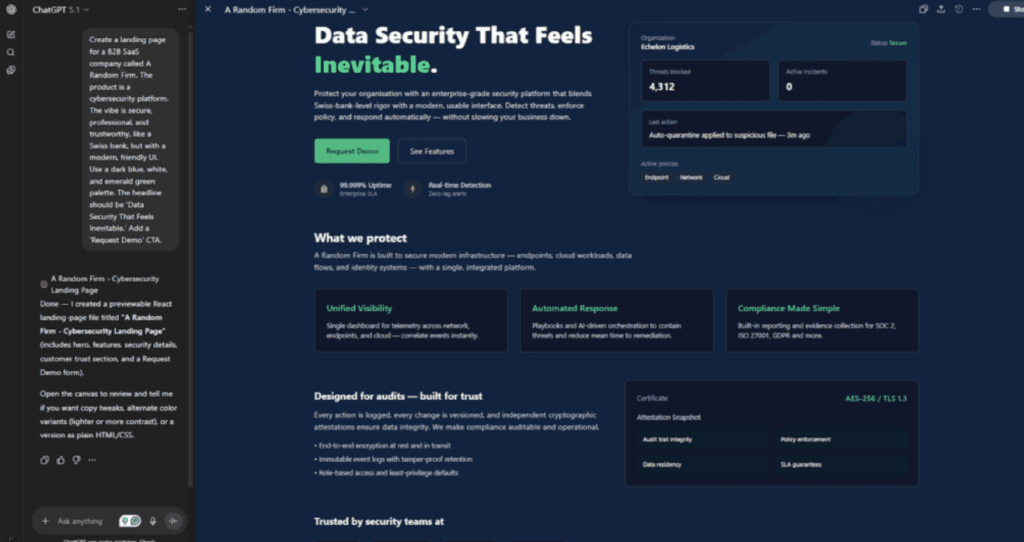
  • A fully designed, responsive landing page was generated in 90 seconds via ChatGPT.
  • The initial output was roughly 80% complete, needing polish on logo and copy.
  • Two hours of vibe-coding replaced a six-week spec, design, and dev cycle.
  • The article maps goals to tools: Framer (aesthetics), Bolt (prototype), Relume (site), Dorik/Unicorn (speed), Unbounce (conversion).
  • Flatlogic says it can build the full application behind a landing page in minutes.

What if you could build your entire SaaS landing page not by writing code, but by describing a feeling?

If you’re in the SaaS world, you’ve probably asked yourself these questions: “How can I build a landing page that actually feels like my brand?” “Why do all these templates look identical?Can’t I just tell an AI ‘make it look like Stripe, but friendlier’ and have it work?” And, more recently: “What are these new SaaS vibe coding tools I keep hearing about?

“Perfection is achieved, not when there is nothing more to add, but when there is nothing left to take away.” – Antoine de Saint-Exupéry

This quote is the very soul of “vibe-coding.” It’s about capturing an essence, not just ticking boxes on a feature list. For years, the process of building a landing page has been a painful, lossy translation. A founder has a ‘vibe’ in their head. They translate that vibe into a weak description for a designer. 

The designer translates their visual interpretation into a rigid Figma file. Finally, AI web development companies translate that Figma into code, pixel by pixel. The original “vibe” is long dead. This bottleneck is a real problem. In a world where speed to market is everything, studies from industry giants show that design inconsistency and slow development cycles are a primary reason for product failure.

I’ve been in the software development trenches for over 15 years. I’ve built everything from clunky enterprise dashboards to sleek mobile apps. For most of my career, I was a purist. I believed in the sanctity of the 100-page spec doc. I scoffed at “low-code.” But the recent explosion of generative AI, specifically in the form of AI landing page builders for SaaS, has completely changed my mind. I went from skeptic to evangelist in a single project.

By the end of this article, you will not only understand what ‘vibe-coding’ is but why it’s the single biggest shift for SaaS founders and marketers today. I’ll give you a framework for choosing the right vibe coding tools, a detailed breakdown of the top platforms, and a step-by-step guide to launching a high-converting landing page that finally feels like you.

First, Some Key Definitions

Before we dive into the story, let’s get our terminology straight. This space is new, and the terms are often used interchangeably.

  • Vibe-Coding: This is a new term, but you’ll see it everywhere soon. It’s the practice of building software (especially front-ends) by describing an aesthetic, a feeling, a user, or a brand’s “vibe” to a generative AI, rather than writing explicit code or using a drag-and-drop editor.
  • SaaS Vibe Coding Tools: This is the category of platforms that enable vibe-coding. They are the next evolution of no-code. Instead of you dragging a button, you ask the AI to add a button that “feels more urgent” or “looks more minimalist.”
  • AI Landing Page Builders for SaaS: This is the specific product niche we’re focused on. These are SaaS vibe coding tools designed specifically to create, test, and deploy landing pages for software products.
  • SaaS Vibe Coders: This is the new role, but it’s not always a person. A “vibe coder” is either the AI itself (the agent doing the work) or the human (a founder, marketer, or designer) who is guiding the AI through natural language prompts.

The Main Event: From Skeptic to Vibe-Coder

Chapter 1: The Tyranny of the Pixel-Perfect Spec

Let me tell you about my old workflow. As a veteran developer, I demanded clarity. A “Project Brief” for a landing page would arrive in my inbox. It was always a disaster.

Marketing would write: “We want a ‘world-class’ and ‘dynamic’ page.”

I would write back: “What does ‘dynamic’ mean? Does it animate? Does it fetch data? Give me the user flow, the acceptance criteria, and the exact hex codes from the brand guide.”

This back-and-forth would take a week. The design process would take two more. The development, another two. By the time we launched, the market had already shifted, or the founder had a new “vibe” they wanted to try. We were slow, we were expensive, and we were always frustrated. Our LA-based software development company was great at building complex apps, but we were a bottleneck for simple landing pages.

This old method fails SaaS precisely because SaaS is about iteration. You need to be able to test a new headline, a new pricing structure, or a completely new value proposition in an afternoon, not in a quarter.

Chapter 2: The “Vibe” Revolution (My ‘Aha!’ Moment)

The project that broke me (and then rebuilt me) was for a startup in Boston, MA. Let’s call them ‘A Random Firm’. They were building a complex B2B data security product.

Their founder was brilliant, but he was the worst kind of client for a spec-driven developer. He kept saying, “It just needs to feel more… ‘inevitable.’ Like a Swiss bank, but for data. Secure, heavy, trustworthy… but also… ‘approachable.’ Make it feel like that.”

I was about to pull my hair out. “What does ‘inevitable’ look like?!”

Out of sheer desperation, I decided to test one of the new AI landing page builders for SaaS that my junior dev had been raving about. I signed up for ChatGPT, cracked my knuckles, and, feeling ridiculous, I typed this prompt:

“Create a landing page for a B2B SaaS company called A Random Firm. The product is a cybersecurity platform. The vibe is secure, professional, and trustworthy, like a Swiss bank, but with a modern, friendly UI. Use a dark blue, white, and emerald green palette. The headline should be ‘Data Security That Feels Inevitable.’ Add a ‘Request Demo’ CTA.”

Ninety seconds later, I had a fully-designed, responsive, and beautiful landing page.

It wasn’t perfect. The logo was a placeholder, and the copy was a bit generic. But it was 80% there. In 90 seconds. 

Here’s how it looked!

After that, I spent the next hour “vibe-coding” with the founder.

  • Founder: “It’s good, but I don’t see a ‘features’ section. Can we make it… more visible?”
  • Me: (Typing into the artificial intelligence) “Make the features section more visible. Use icons instead of large images and a more subdued font.”
  • Founder: “Yes! Love that. Now, the CTA. ‘Request Demo’ is boring. Let’s make it ‘Achieve Inevitability.’”
  • Me: (Editing the text) “Done. What else?”

We did in two hours what would have taken me six weeks. We weren’t developers or clients. We were just SaaS vibe coders, iterating at the speed of thought. This is the power of SaaS vibe coding tools.

Chapter 3: The New Toolbox: A Breakdown of Vibe-Coding Platforms

My experience with the AI vibe coding tool sent me down a rabbit hole. I realized that not all SaaS vibe coding tools are the same. They exist on a spectrum, from pure “vibe” generators to conversion-focused optimizers.

This is a critical space. Even traditional AI web development companies are now integrating these tools to accelerate their prototyping and deployment, turning weeks of work into days. Serving the greater Seattle area, we see startups that simply cannot wait for traditional dev cycles. They need these AI landing page builders for SaaS to survive.

Here is a breakdown of the top players I’ve tested:

Comparison of Leading SaaS Vibe Coding Tools

Platform Best For (The “Vibe”) How it Works Key Feature
AppWizzy The Builder’s Vibe: “Make it dynamic and app-ready.” Prompt-to-App-UI. You describe your app idea, and it generates multi-screen flows with interactive elements. App-centric output. Unlike website-first tools, it specializes in app-like interfaces and feature workflows.
Framer AI The Designer’s Vibe: “Make it beautiful and award-worthy.” Prompt-to-Site. You describe your site, and it generates a full, editable, and animated design. Unmatched aesthetics. It builds with components and animations that feel truly high-end.
Bolt AI The Pure Vibe: “I have a feeling, make it a product.” This is the tool that literally calls itself a “vibe coding tool.” You chat with an AI agent to build and iterate. Conversational build process. It’s less of a tool and more of a “dev partner” that you talk to.
Relume AI The Strategist’s Vibe: “Make it logical and high-converting.” Prompt-to-Sitemap. You describe your business, and it generates a complete site map and wireframes. Structure-first. It’s the only tool that focuses on the strategy of your site before the visuals.
Unbounce The Marketer’s Vibe: “Make it convert, and prove it.” AI-powered A/B testing and copy generation. Less “vibe” for initial design, more “vibe” for optimization. Smart Traffic. It uses AI to automatically send visitors to the landing page variant they’re most likely to convert on.
Dorik AI The Founder’s Vibe: “Make it now.” Prompt-to-Site. Extremely fast. You give it a prompt, and a full site is ready in a minute. Speed and simplicity. It’s the fastest way to get a “good enough” page live to test an idea.
ChatGPT The All-Rounder’s Vibe:“Give me an idea, a style, or a mood – I’ll build anything around it.” Prompt-to-Everything.You describe the concept, tone, structure, or desired “vibe,” and it generates copy, UI concepts, code, diagrams, tables, wireframes, and strategy on demand. True versatility.It’s the only tool that can simultaneously act as: a writer, a designer’s assistant, a strategist, a product thinker, and a coding co-pilot – all while maintaining the exact vibe you describe.
Unicorn Platform The Indie Hacker’s Vibe: “Make it clean, simple, and functional.” AI-assisted builder. Great for SaaS, apps, and directories. Focus on SaaS components like pricing tables, feature grids, and changelogs.

These SaaS vibe coding tools are fundamentally changing the game. The barrier to entry for a “professional” look and feel has evaporated.

Chapter 4: A Framework for Choosing Your Tool

So, which of these SaaS vibe coding tools is right for you? It depends on your primary goal. You are the SaaS vibe coder, and these are your instruments.

Code snippetgraph TD A [Start: What is your main goal?] --> B{I need a beautiful 'brand' page}; B --> C[GPT 5]; A --> D{I have an idea and need to build a functional prototype}; D --> E[Bolt AI]; A --> F{I need a full, logical website, not just one page}; F --> G[Relume AI]; A --> H{I need to test an idea, fast and cheap}; H --> I[Dorik AI or Unicorn Platform]; A --> J{My page is live, but it's not converting}; J --> K[Unbounce];

Here is the decision flow I use when advising clients:

  • To use this flowchart:
    1. Start at the top.
    2. Identify your primary goal for your SaaS landing page.
    3. Follow the path to the recommended tool.

This framework helps you move from “I need a website” to “I need a specific tool for a specific job.” The era of the one-size-fits-all builder is over. We are now in the era of specialized, “vibe-driven” creation.

Chapter 5: The Dark Side of Vibe-Coding (And the Solution)

As a 15-year developer, I have to be honest. “Vibe-coding” is not a silver bullet. It’s a miracle for the storefront (your landing page), but it’s useless for the factory (your actual application).

This is the critical mistake I see founders making. They get a beautiful landing page from one of these AI landing page builders for SaaS, and then they ask, “Great. Now, how do I make it… you know… work? How do I add user accounts, connect to a database, and run my business logic?”

The answer from these SaaS vibe coding tools is silence. They can’t do it.

  • A “vibe” can’t design your database schema.
  • A “vibe” can’t build a complex admin panel for you to manage your users.
  • A “vibe” can’t write the secure, scalable, and complex backend code that your SaaS is.

This is the great divide. Vibe-coding creates a beautiful, hollow shell. For the shell to become a business, you need a real, functional application.

And this is where the old me and the new me come together. You shouldn’t have to choose between a fast, beautiful front-end and a powerful, custom back-end.

This is precisely the problem we built Flatlogic to solve. After you’ve “vibe-coded” your perfect landing page, you need to deliver on the promise. You need the actual app.

Flatlogic Generator will convert this description into a fully functional business web application.

You don’t just get a landing page; you get the entire application. A vibe-coder can’t build a complex, multi-tenant SaaS. But our platform can. We take your requirements (your “vibe,” if you will, but for logic) and generate the front-end, the back-end, and the database for a complete, production-ready application.

Chapter 6: The “Franken-Stack” Trap: Vibe-Coding’s Hidden Cost

Let me be even more specific, because this is the critical, expensive mistake I see founders make every single day. It’s the hidden dark side of these otherwise brilliant SaaS vibe coding tools. I call it the “Franken-Stack” trap.

It starts innocently enough.

You, now empowered as a “vibe-coder,” create a masterpiece of a landing page using one of the AI landing page builders for SaaS. It’s beautiful, and it costs you almost nothing. You’re a genius.

But then, you need a blog. The builder’s blog function is weak, so you set up a subdomain with a tool like Ghost. Then you need a community, so you link out to a Circle or Discord. You need to capture waitlist signups, so you embed a Tally form, which uses a Zapier integration to (slowly) send data to a Google Sheet, which then zaps new users into a Mailchimp sequence.

Each of these tools is “best-in-class” at its one, specific job. But you haven’t built a product. You’ve built a monster. You’ve created a “Franken-Stack.”

The real-world pain comes the second you get traction. You proudly hire your first “real” developer (someone like me) and say, “We have 10,000 signups! Our vibe-coded page is converting like crazy! Now, let’s just ‘plug in’ the real app and migrate all these users.”

As that developer, my heart sinks. I am now forced to be the bad guy.

I have to tell you the truth: There is no “app” to migrate. There is nothing to “plug in.” You don’t have a user database; you have a Google Sheet. You don’t have a unified authentication system; you have three separate email lists with no secure passwords. The “vibe” you built is a hollow movie set.

To build your actual SaaS application, we have to throw all of it away and start from zero.

I’ve seen this happen to startups from Austin, TX, to our own clients here in Boston, MA. They spend six months iterating on a “vibe” and get thousands of signups, only to realize their “product” is a fragile collection of disconnected services held together with digital duct tape. The technical debt they’ve accrued is so high, they collapse before they’ve even written a single line of real code.

This is the glass ceiling of vibe-coding. AI landing page builders for SaaS are brilliant marketing tools, but they are not application development platforms. They are designed to present a value proposition, not execute it. The moment you need a feature that isn’t in their pre-built library-like a custom user dashboard, a team-based permission system, or a unique, multi-variable pricing calculator-you’ve hit a wall.

This is why the entire conversation must shift. We shouldn’t just be asking, “Which SaaS vibe coding tools are best?” We should be asking, “How do we bridge the gap between our ‘vibe’ and our value?”

This isn’t to scare you away from these tools. I use them! But I use them for what they are: the front door. I just make sure I have a real, scalable house being built behind it at the same time.

Conclusion: Your Vibe is Just the Beginning

The rise of SaaS vibe coding tools is the most exciting thing to happen to software in a decade. It tears down the wall between idea and execution. It empowers founders, marketers, and designers to create at the speed of thought, without being blocked by a developer like me.

Here are the key takeaways from this journey:

  • Vibe-Coding is Here: Building by describing a feeling or aesthetic is no longer a fantasy. Tools like Framer, Bolt AI, and Relume have made it a reality.
  • A Tool for Every Vibe: The best AI landing page builders for SaaS are specialized. Choose your tool based on your goal: aesthetics (Framer), logic (Relume), conversion (Unbounce), or speed (Dorik).
  • The Vibe is Not the App: Your landing page is your promise. Your application is how you keep it. These SaaS vibe coding tools are for the promise, not the product.

Stop and think. Your new, vibe-coded landing page looks amazing. It’s generating sign-ups. Now what? Where are those sign-ups going? Into a real app, or just an email list? Don’t let your “vibe” write a check your business can’t cash. Vibe-coding gets you a beautiful front door. Flatlogic builds the entire functioning house behind it in minutes. Stop stitching 10 different tools together. Visit Flatlogic’s service page and let’s build the full application that your beautiful landing page deserves.


Finance

Agen Togel Terpercaya

Bandar Togel

Sabung Ayam Online

Berita Terkini

Artikel Terbaru

Berita Terbaru

Penerbangan

Berita Politik

Berita Politik

Software

Software Download

Download Aplikasi

Berita Terkini

News

Jasa PBN

Jasa Artikel

Top 10+ AI Web App Chat-Based Builders in 2025


TL;DR

  • Defines chat-to-app builders and contrasts stacks, code ownership, CI/CD, and production readiness.
  • Compares 10+ tools: AppWizzy, Lovable, Bolt.new, Replit, v0, Debuild, Cursor, Dust.tt, Pythagora, Quickbase, others.
  • Recommends matching tool to needs: prototype speed vs long-term maintainability, team skills, budget, lock-in risk.
  • Highlights AppWizzy for investor-ready, code-owned, Dockerized full-stack apps; cautions on prototype-first tools.

Fact Box

  • 38% of respondents use AI-powered app generators as their primary way to build web apps in 2025.
  • AppWizzy gives full repo ownership plus Docker, CI/CD and self-hosting for LAMP or Node/Next.js stacks.
  • Lovable targets rapid MVPs, typically using Supabase backend with GitHub export for source control.
  • v0 by Vercel generates React/Next UI (Tailwind, shadcn) and focuses on frontend; backend must be handled separately.
  • Pythagora is an open-source backend generator that produces APIs and automated tests from conversational prompts.

When someone Googles “AI web app chat-based builder” today, they’re usually not browsing for fun. They’re staring at a deadline, a budget, or an investor meeting and quietly thinking: “Please let this actually work.”

You might be asking yourself questions like:

  • Can I really build a usable web app just by talking to an AI?
  • Will this thing still work once I have hundreds of real users, not just demo traffic?
  • Do I own the code, or am I locking my business into one vendor forever?
  • Which AI web app chat-based builder is safe for an investor deck, not just a cool demo?

As Satya Nadella famously put it, “Every company is now a software company.” That line stopped being a prediction years ago. In 2025, it’s closer to a survival rule.

From our own annual Starting Web App in 2025 research, 38% of respondents already use AI-powered app generators (Flatlogic, Bolt, Lovable, and others) as their primary way to build web apps – more than traditional hand-coding or classical low-code. Academic surveys on zero-code LLM platforms show the same trend: conversational, LLM-driven builders are no longer toys; they’re a definable category in software engineering research.

The problem is: speed came first, engineering discipline came later. Many teams discover that the wrong AI web app chat-based builder leaves them with brittle code, painful migrations, or security risks. Tools like Lovable, Bolt.new, Replit, and others are growing explosively in usage and funding, but their capabilities and trade-offs differ a lot.

In this article, I’ll walk you through:

  • What an AI web app chat-based builder actually is (and is not).
  • How the landscape looks in 2025 – who’s raising billions, who’s open-source, who’s quietly winning enterprise deals.
  • A practical comparison of 10+ AI web app chat-based builders.

By reading this article, you’ll know which AI web app chat-based builder belongs in your stack – and which ones you should avoid for serious, long-term products.

Terminology: What I Mean by “AI Web App Chat-Based Builder”

Let’s clear the jargon before we drown in it.

Key Terms (Cheat-Sheet)

Term What does it mean 
AI web app chat-based builder A platform where you describe a web app in natural language (chat, voice, sometimes screenshots) and the system generates a runnable app or major parts of it.
Chat-to-app Subset of the above: the builder can take a prompt and go all the way to a hosted or deployable app (not just code snippets).
Vibe-coding A conversational building style where you iteratively talk to an AI (like a junior dev) and refine the app together, often directly in a browser IDE. 
Agentic builder A builder that doesn’t just generate code, but can plan, modify, test, and deploy with an AI “agent” acting across your project.
Prompt-to-production The full pipeline from a prompt → schema → code → CI/CD → live app.

In other words: an AI web app chat-based builder is your new “junior engineer” you talk to in Slack… except it’s actually an IDE, a generator, and a deployment system glued together.

How an AI Web App Chat-Based Builder Actually Works

Stripping away the hype, most of these platforms follow a similar internal pipeline.

The difference between tools is not the chat window. It’s:

  • What schema they infer and how strict it is.
  • Whether they give you real repos and Docker images or just “magic cloud” hosting.
  • How safely they handle migrations, tests, CI/CD, and rollbacks.
  • Whether the AI web app chat-based builder understands production constraints (multi-tenancy, RBAC, compliance) or just UI skeletons.

Keep that model in mind as we go through the top players.

TL;TR: Top AI Web App Chat-Based Builders

Here’s a table view before we deep-dive.

Top AI Web App Chat-Based Builders (2025)

Platform Best For Code Ownership / Export Stack / Output One-Line Take
AppWizzy (by Flatlogic) Serious SaaS, CRM, ERP, investor-ready MVPs Full repo, Docker, self-hosting Full-stack (LAMP, Next/Node + DB + CI/CD) Engineer-minded AI web app chat-based builder built for apps that need to live for years.
Lovable Fast MVPs for non-technical founders GitHub export; hosted runtime Full-stack SaaS templates Incredibly fast for early validation, less obvious story for long-term ops. 
Bolt.new Developers who want full control, in-browser Full code, open-source core Full-stack in-browser IDE Chat-plus-IDE combo; powerful but assumes you’re comfortable as a dev.
Replit (AI Web App Builder) General apps + learning, with AI help Projects & repos on Replit Multi-language cloud IDE + builder Great “playground → startup” path if you like living inside one environment.
v0 (by Vercel) Designers/devs obsessed with UI speed React/Next code export Text-to-UI → Next.js, Tailwind, shadcn AI web app chat-based builder that’s almost pure front-end muscle. 
Debuild Indie makers, demo-first projects React + Node export Low-code web apps Early “chat-to-app” experiment; still solid for quick dashboards.
Cursor Engineers living inside an AI-native editor Full repo, your infra Any stack you edit in Cursor Less “no-code”, more “AI super-IDE” with strong chat-based refactors.
Dust.tt AI workflows + internal tools App definitions, agents & flows Agentic AI apps & dashboards Think: chat-to-agent workflows rather than typical CRUD.
Pythagora Backend-heavy teams that love OSS Open-source backend generator API-driven backends & tests Great AI web app chat-based builder for backend scaffolding and automated tests.
Quickbase AI Chat-to-App Ops teams sitting on spreadsheets Hosted no-code apps Internal workflow apps Chat-to-app, but within a classic enterprise no-code ecosystem.
Google AI Studio, Dyad, BuildAI & others Mixed cases; mostly experiments or niche Varies Varies Worth watching, but not yet my go-to for production business systems. 

If you’ve wondered how chatting with AI can instantly turn your ideas into a robust web application, this guide reveals precisely that. Deep Dive: The Platforms, Through a Practitioner’s Eyes

AppWizzy enables users to effortlessly chat with AI to build full-stack applications with dedicated VMs, supporting frameworks like LAMP or Node/Next.js. It includes critical infrastructure such as databases, domains, CI/CD pipelines, and Docker containers. The system prioritizes long-term sustainability, focusing heavily on maintainability and code quality. Users own their code, avoiding vendor lock-ins, with robust integration of version control via Git and containerized deployments. Its hybrid deterministic and AI-driven approach guarantees predictability in app performance.

Target Audience: Startups, capital-raising founders, enterprise-level businesses, and software agencies.

Key Features: Code ownership, real-time schema migrations, Docker containerization, structured code generation.

Pitfalls: Not ideal for rapid throwaway prototypes due to the structured workflow.

Pricing & Complexity: Premium pricing; moderate complexity, ideal for teams or founders with tech knowledge.

Lovable

Lovable streamlines rapid prototyping by allowing users to create SaaS applications through simple AI conversations. The backend is typically powered by Supabase with GitHub integration for source control. Lovable excels at delivering rapid MVPs, primarily aimed at validating concepts quickly. It’s designed predominantly for non-technical founders needing visual, functional results rapidly. However, this speed can sometimes compromise long-term maintainability and code cleanliness.

Target Audience: Solo entrepreneurs, indie hackers, marketing teams.

Key Features: Instant prototypes, AI conversational UI, and user-friendly.

Pitfalls: Potential messy code, security vulnerabilities in rapidly generated apps.

Pricing & Complexity: Affordable; low complexity suitable for beginners.

Bolt.new

Bolt.new provides an integrated browser IDE where developers interact with an AI agent to scaffold, modify, and deploy full-stack applications directly. Ideal for technical users, Bolt emphasizes a seamless developer experience, complete with file management, real-time preview, and direct deployment. Its powerful AI capabilities accelerate typical development workflows substantially. However, non-technical users might find it overwhelming, given its rich, terminal-oriented environment.

Target Audience: Experienced developers, dev teams, hackathons.

Key Features: Full IDE, terminal access, instant deployment.

Pitfalls: Complexity for non-developers, potential for uncontrolled AI token expenses.

Pricing & Complexity: Moderate pricing; high complexity suited for experienced developers.

Replit

Replit’s AI-powered web and chat app builders provide users with a streamlined cloud-based environment to scaffold and refine applications through conversation. Users can seamlessly transition from app idea to deployed projects entirely within Replit’s ecosystem. Its robust community and educational resources make it highly accessible. Nonetheless, reliance on a single environment raises concerns about vendor lock-in and occasional AI-driven operational errors.

Target Audience: Educational institutions, developers, and startup founders.

Key Features: Comprehensive ecosystem, educational resources, built-in IDE, and hosting.

Pitfalls: Occasional severe AI mistakes, ecosystem lock-in risks.

Pricing & Complexity: Competitive; moderate complexity, balanced between beginners and experts.

v0 (by Vercel)

v0 specializes in generating frontend components and UI designs via AI-driven conversational input. Designed explicitly for rapid UI prototyping, it delivers React, Tailwind CSS, and Shadcn UI components optimized for Vercel deployment. Ideal for teams and individuals focused heavily on UI/UX, it offers detailed refinement capabilities. However, the backend component must be managed separately, limiting its scope for full-stack solutions.

Target Audience: Designers, front-end developers, startups focused on UI.

Key Features: High-quality React exports, detailed UI refinement, direct deployment to Vercel.

Pitfalls: Limited backend capabilities, potential codebase complexity with larger apps.

Pricing & Complexity: Moderate pricing; low to medium complexity.

Debuild

Debuild quickly translates plain-English descriptions into functional web apps, mixing visual assembly with conversational prompts. It offers fast iteration with immediate app deployment, making it highly suitable for quick testing and investor demos. Its mixed conversational and visual approach simplifies development but can fall short for enterprise-grade long-term app stability.

Target Audience: Indie makers, fast-moving startups, hackathons.

Key Features: Instant app generation, visual assembly, intuitive workflow.

Pitfalls: Limited long-term maintainability, insufficient for complex regulated applications.

Pricing & Complexity: Budget-friendly; low complexity.

Cursor

Cursor operates as an AI-enhanced coding editor offering code generation, multi-file handling, and deep Git integration via a conversational AI. While not strictly a builder, its capability to quickly scaffold and refine projects makes it highly useful for developers familiar with coding workflows. Its AI acts as an advanced coding assistant rather than a purely conversational tool, making it suitable for professional coders.

Target Audience: Professional developers, software engineering teams.

Key Features: Multi-file understanding, seamless Git integration, and AI-assisted refactoring.

Pitfalls: Requires coding experience, lacks no-code simplicity.

Pricing & Complexity: Moderate pricing; high complexity.

Dust.tt

Dust.tt enables users to build complex AI agent-based workflows and applications without extensive coding skills. It is highly effective for integrating disparate data sources and automating processes using conversational interactions. Ideal for internal tools and dashboards, Dust.tt simplifies workflow creation for non-technical users. It may, however, be too niche for traditional CRUD web app scenarios.

Target Audience: Data teams, internal operations teams.

Key Features: AI workflows, no-code automation blocks, and internal app creation.

Pitfalls: Limited traditional web app capabilities, specific agentic workflow orientation.

Pricing & Complexity: Mid-tier pricing; low to medium complexity.

Pythagora

Pythagora focuses heavily on generating backend applications and automated test cases directly from conversational prompts and API data. Designed with engineers in mind, its open-source transparency ensures maximum developer control and adaptability. It excels in API-driven backend scaffolding and rigorous automated testing scenarios.

Target Audience: Backend-focused dev teams, API developers, open-source enthusiasts.

Key Features: Automated backend generation, robust testing framework, open-source.

Pitfalls: Primarily backend-oriented, requires development expertise.

Pricing & Complexity: Open-source/free; moderate to high complexity.

Quickbase AI Chat-to-App

Quickbase integrates conversational AI capabilities into its established no-code enterprise platform, enabling rapid generation of internal business applications. Its primary strength is workflow automation based on existing data structures, such as spreadsheets. It is ideal for operations and IT departments seeking quick and governance-compliant application development.

Target Audience: Enterprise ops managers, IT teams, business analysts.

Key Features: Instant app generation from spreadsheets, built-in compliance and governance.

Pitfalls: Limited external use cases, heavy reliance on the Quickbase ecosystem.

Pricing & Complexity: Enterprise-level pricing; low complexity.

Google AI Studio, Dyad, BuildAI & Emerging Players

Emerging platforms such as Google AI Studio, Dyad, and BuildAI offer various capabilities ranging from LLM-driven prototypes to locally friendly and privacy-focused solutions. While promising, these platforms currently serve specialized or experimental niches rather than comprehensive production use cases.

Target Audience: Innovators, hobbyists, small-scale experimental projects.

Key Features: Varied, niche capabilities, strong experimental features.

Pitfalls: Limited maturity for enterprise use, rapidly changing ecosystems.

Pricing & Complexity: Generally affordable or experimental; complexity varies.

How to Choose the Right AI Web App Chat-Based Builder 

Choosing the right AI web app chat-based builder requires understanding your specific project needs, team composition, and long-term objectives. Consider the following factors:

Identify Your Project Requirements

  • Determine whether you need quick prototypes or comprehensive enterprise-level applications.
  • Evaluate if your project requires specific integrations, backend services, or complex frontend designs.

Assess Your Team’s Expertise

  • Clearly define your team’s technical capabilities and familiarity with development processes.
  • Choose tools aligned with your team’s existing skillset to maximize productivity.

Evaluate Long-Term Viability

  • Consider the importance of code ownership and flexibility for future development and maintenance.
  • Understand potential vendor lock-in risks associated with proprietary platforms.

Budget and Complexity

  • Analyze your available budget against the complexity and feature set of potential builders.
  • Factor in scalability and future growth when considering pricing structures.

Conclusion: The 80/20 of AI Web App Chat-Based Builders

Choosing the optimal AI web app chat-based builder significantly impacts the efficiency and quality of your application development. A thoughtful selection tailored to your specific requirements, expertise, and long-term strategic objectives ensures not only immediate project success but sustained growth and adaptability. As the technology landscape evolves rapidly, it is critical to invest in tools that provide flexibility, scalability, and ease of integration with emerging technologies.

Leveraging AI chat-based builders effectively allows teams to accelerate development cycles, reduce operational overhead, and deliver more refined products to market faster. Staying agile and adaptable with AI tools ensures businesses can respond swiftly to market changes, maintain a competitive edge, and continuously innovate. 

To effectively streamline your web app development process and maintain full control over your project’s future, explore AppWizzy today and see firsthand how intuitive AI-driven development can transform your ideas into fully functional, scalable applications. Embrace the potential of conversational AI and position your projects for ongoing success in an increasingly digital-first world.


Finance

Agen Togel Terpercaya

Bandar Togel

Sabung Ayam Online

Berita Terkini

Artikel Terbaru

Berita Terbaru

Penerbangan

Berita Politik

Berita Politik

Software

Software Download

Download Aplikasi

Berita Terkini

News

Jasa PBN

Jasa Artikel

Black Friday 2025 : obtenez 30 % de réduction sur tous les produits et crédits Flatlogic !


TL;DR

  • 30% de réduction sur tous les abonnements et crédits Flatlogic
  • Utilisez le code BLACKFRIDAY30 lors du paiement
  • Valable du 20 au 28 novembre 2025 jusqu’à 23h59 CET
  • Remise instantanée, sans aucune condition
  • Commencez sur flatlogic.com

Boîte d’information

  • Flatlogic offre 30 % de réduction sur tous les plans d’abonnement et crédits pour le Black Friday 2025. Source
  • Utilisez le code promotionnel BLACKFRIDAY30 à la caisse pour appliquer la réduction de 30 %. Source
  • L’offre est valable du 20 au 28 novembre 2025 ; la date limite finale est le 28 novembre 2025 à 23h59 CET. Source
  • La réduction s’applique instantanément à la caisse ; sans attaches. Source
  • Pour échanger : visitez flatlogic.com, choisissez un forfait ou des crédits, entrez BLACKFRIDAY30. Source

C’est à nouveau cette période de l’année : le Black Friday est là ! Et cette fois, nous rendons à notre communauté de constructeurs, de fondateurs et de développeurs une offre spéciale pour vous aider à construire plus rapidement, plus intelligemment et à moindre coût.

Depuis 20 novembre au 28 novembrevous pouvez obtenir 30% de réduction:

Utiliser le code promo VENDREDI NOIR30 à la caisse et regardez votre baisse totale instantanément. C’est votre chance de économiser gros tout en accélérant votre travail avec nos plateformes basées sur l’IA.

💡 Comment ça marche

  1. Allez sur flatlogic.com.
  2. Choisissez votre forfait ou vos crédits.
  3. Entrez le code promotionnel VENDREDI NOIR30 à la caisse.
  4. Profitez de 30 % de réduction instantanément – ​​sans aucune condition.

🕒 Offre valable jusqu’au 28 novembre 2025 (23h59 CET). Après cela, l’accord disparaît jusqu’à l’année prochaine.

Ne manquez pas votre chance d’améliorer votre flux de travail et de donner vie à vos idées : ce Black Friday, votre prochain grand projet vient de se rapprocher de 30 %. 👉 Commencez à construire maintenant


Finance

Agen Togel Terpercaya

Bandar Togel

Sabung Ayam Online

Berita Terkini

Artikel Terbaru

Berita Terbaru

Penerbangan

Berita Politik

Berita Politik

Software

Software Download

Download Aplikasi

Berita Terkini

News

Jasa PBN

Jasa Artikel